
Mio Agent
Mio is no longer just PixAI’s mascot—she’s your creative partner now.
Whether you’re imagining a new character, refining your artwork, or just want someone to chat with, Mio can understand your ideas and help you bring them to life.
With Mio Agent, you can:
- Chat with Mio naturally, just like talking to a friend.
- Turn your ideas instantly into illustrations, edit images, or even generate videos.
- Discuss styles, outfits, and themes without worrying about how to write prompts.
She’s cheerful, helpful, and always ready to spark your imagination.
Mio makes creating easier, faster, and more personal—whether you’re a beginner or a seasoned creator, you’ll find your own rhythm of inspiration.
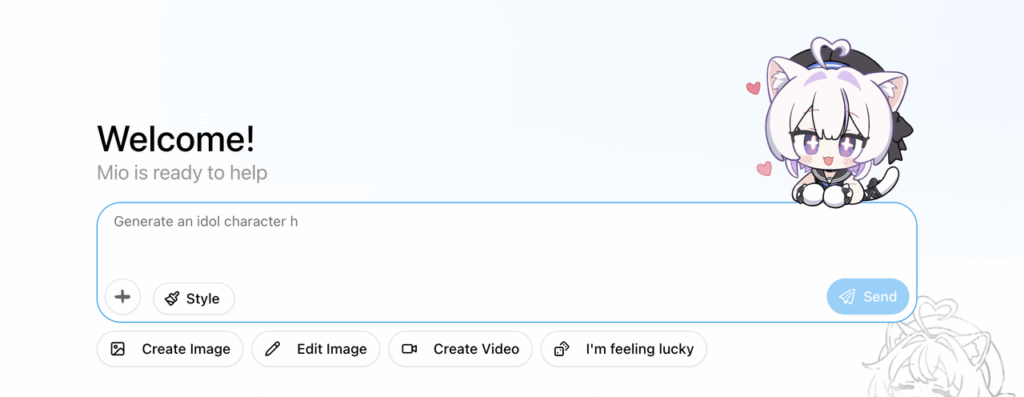
How It Works
- Daily Stamina Rewards
- Log in daily to receive stamina, which can be used to chat with Mio.
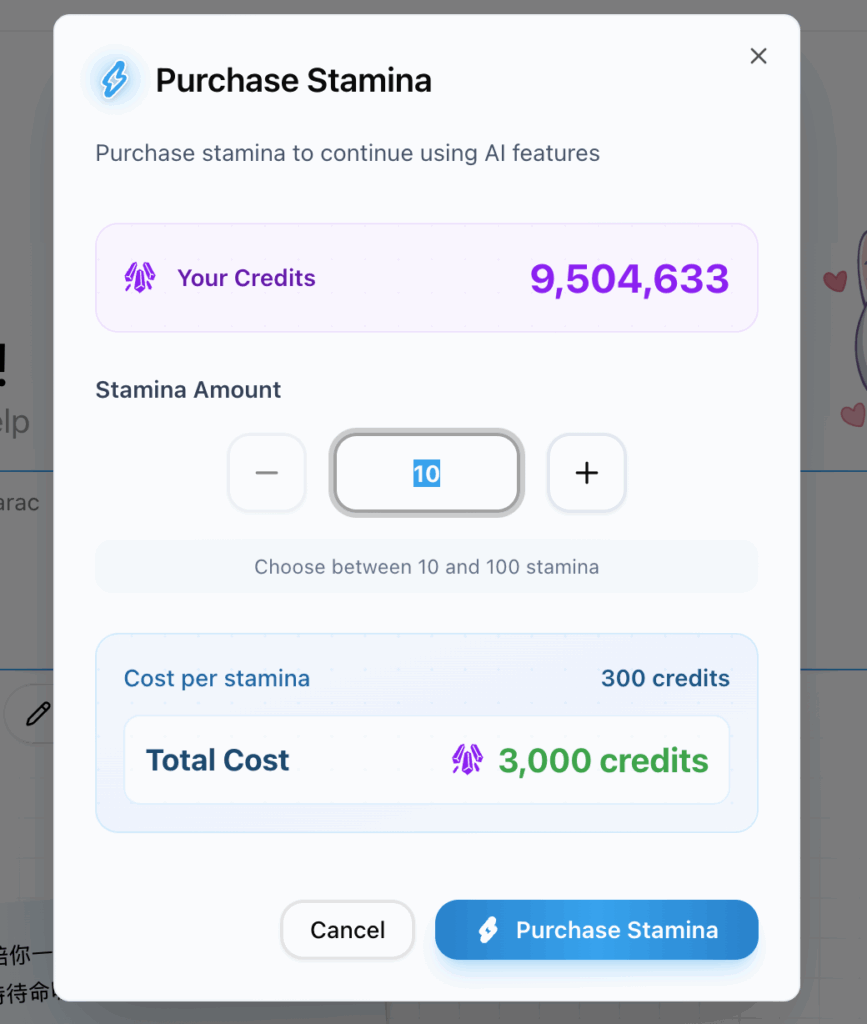
- Buying and Using Stamina
- 1 stamina = 300 credits. Chatting with Mio doesn’t consume credits—credits are only used when Mio helps you generate content (such as images or videos).
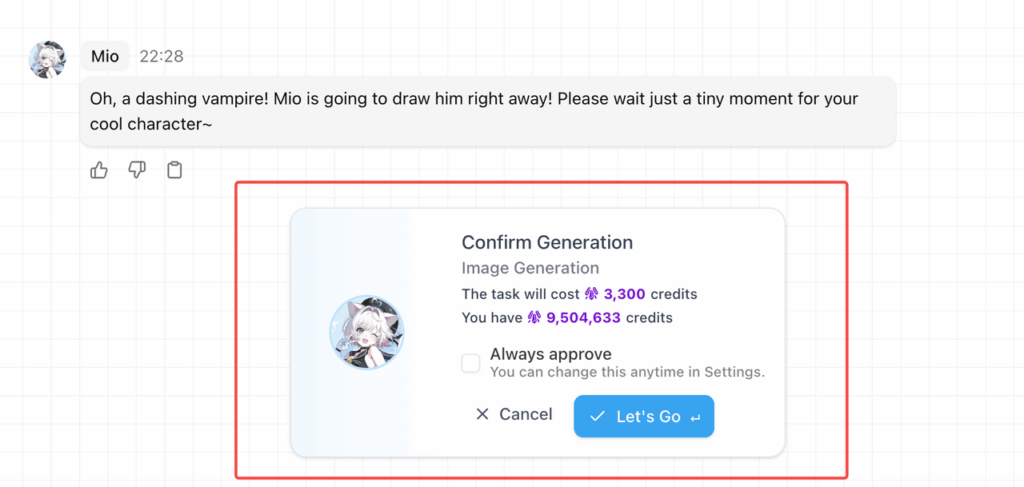
- Task Confirmation
- Before Mio starts generating, she’ll ask if you’d like to proceed.
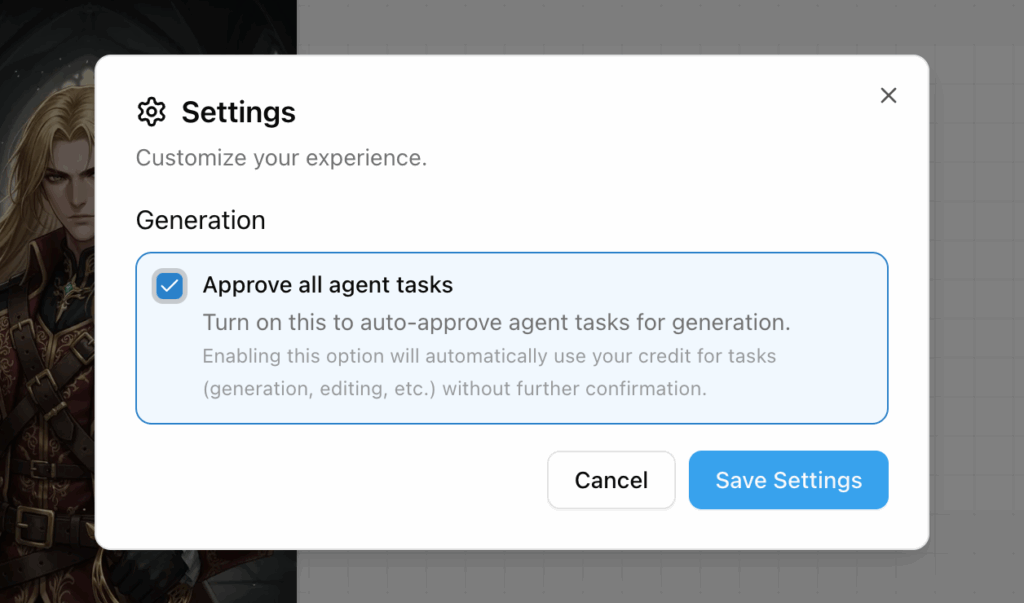
You can enable “Approve all agent tasks” in Settings to skip the confirmation pop-up for smoother workflow.
- Style Settings
- You can choose a visual style before starting a task and explore different moods and atmospheres for your creations.

- Task Types & Interaction Modes: On the homepage, you can choose between three types of creative tasks:
- Image Generation
- Image Editing
- Video Generation
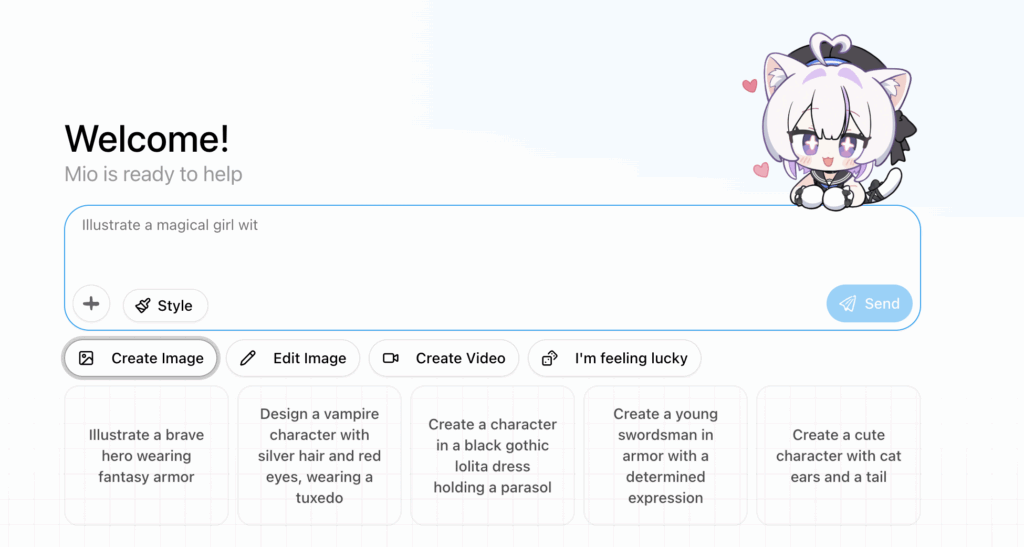
We’ve provided preset ideas and sample prompts to inspire you, but you can always enter your own. For “Edit Image” or “Create Video,” please upload an image first. You can also type anything into the chat box to start a free conversation with Mio—share ideas, chat casually, or explore creative directions naturally.
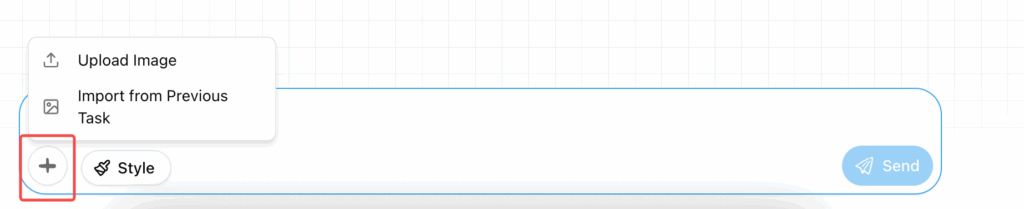
- Continuing Tasks in Chat
- Even after you’ve started chatting, you can edit images or generate videos as well. Simply upload an image or choose one from previous tasks during your conversation and tell Mio what you’d like to change or what kind of video you’d like to make—she’ll take care of the rest automatically.
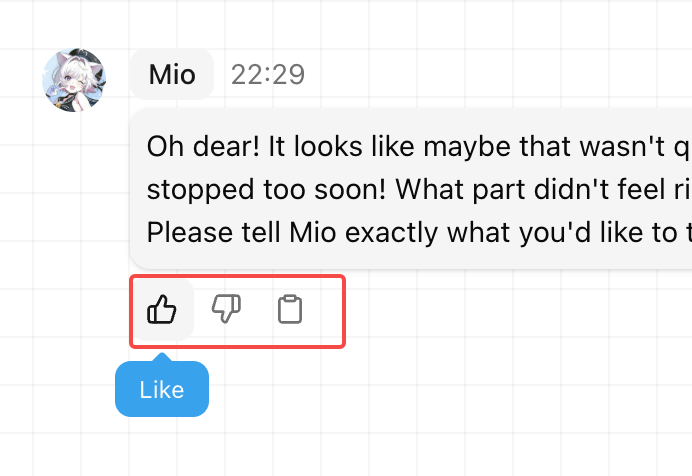
- Feedback System
- You can rate any interaction with Mio—both her creations and her conversations. Tap 👍 or 👎 to send us your honest feedback so we can keep improving her.
Quick Q&A
Q: What can Mio help me do?
A: Mio can help you generate illustrations, edit images, add color, change outfits, make videos, and even chat or brainstorm creative ideas with you.
Q: How do I ask Mio to make an image?
A: Just type what you want to create—for example, “a pink-haired girl sitting under a cherry blossom tree”—and press Send.
Q: Can I upload my own image?
A: Of course! Once uploaded, you can select “Edit Image” or “Generate Video” to continue your project.
Q: How is Mio Agent different from PixAI?
A: PixAI focuses on prompt-based generation, while Mio Agent lets you create through conversation. You can simply describe what you want in natural language, and Mio will handle the rest.
Q: I’m not good at writing prompts—can I still use Mio Agent?
A: Definitely. Mio is built to help beginners by turning your natural language into optimized prompts automatically.
Q: What do I get from daily check-ins?
A: You’ll receive 30 free stamina every day, which you can use to chat with Mio.
Q: What if I run out of stamina?
A: You can purchase more using credits (1 stamina = 300 credits).
Q: Does chatting with Mio cost credits?
A: No. Chatting is free. Credits are only used when Mio helps you generate or edit content.
Q: Can I disable the generation confirmation pop-up?
A: Yes. Go to Settings and enable “Auto Confirm” to skip the confirmation step automatically.