
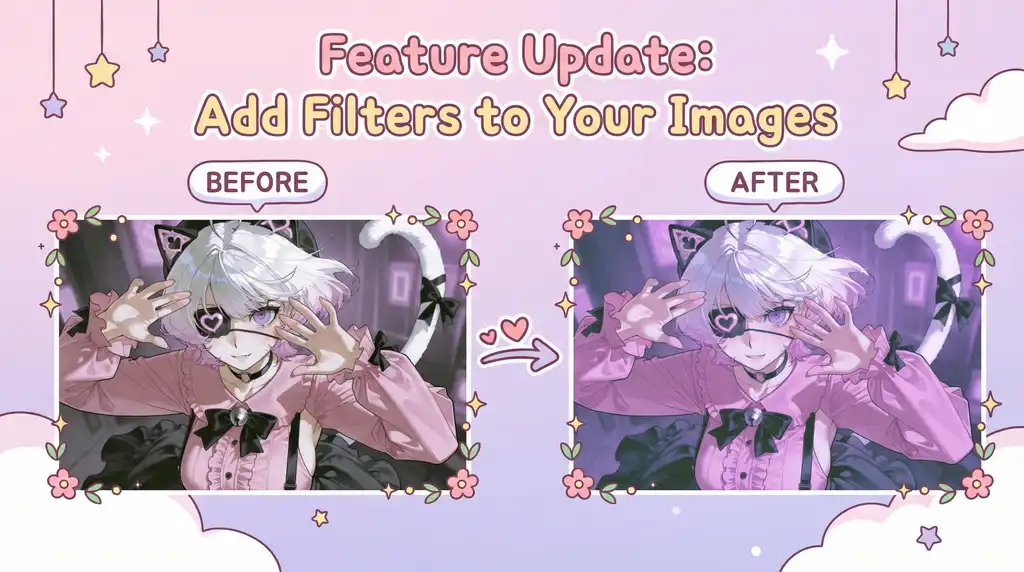
Ever wish you could fine-tune the color grading of your image to better match the mood you’re going for? We’ve added seven new color filters to the the Image Enhance feature family, designed to add subtle atmosphere and elevate the overall look of your creations.
✨ Try out our brand-new Filter Feature:
- After generating an image, go to the “Enhance” tab and toggle to the “Filters” panel.
- Select a filter that best matches your desired effect.
- Use the slider to adjust the filter intensity.
- Once applied, you can download the image or publish it directly.
~Et Voila! A few clicks is all it takes to give your image the perfect finishing touch.
Don’t forget to publish your finished product on PixAI and social media to share your proud creations with the world!