

The PixAI community has been eagerly awaiting enhanced LoRA support for DiT models, and it’s finally here! 🎉 This guide will walk you through all the new features, including multi-version LoRA support, cost-saving dataset reuse, and best practices for DiT LoRA training.
🚀 Full DiTLoRA Support
You can now seamlessly use and train LoRAs on DiT-based models, including the popular Tsubaki and Serin models. This opens up entirely new creative possibilities for your AI art generation.
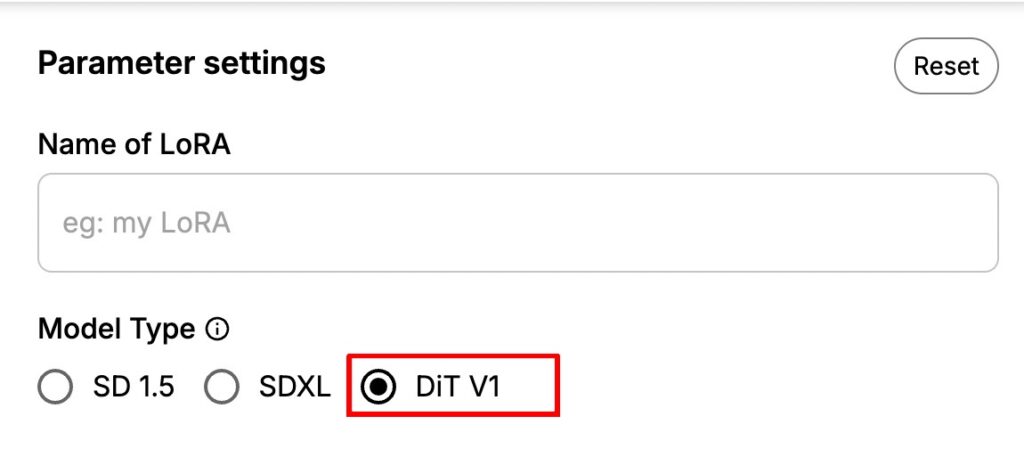
🔄 Multi-Version LoRA System
LoRAs on PixAI now support multiple versions under the same model card. That means instead of uploading a whole new model each time, you can manage multiple versions of your LoRA in one place. The multi-version support allows you to create new versions of existing LoRAs for different base models.
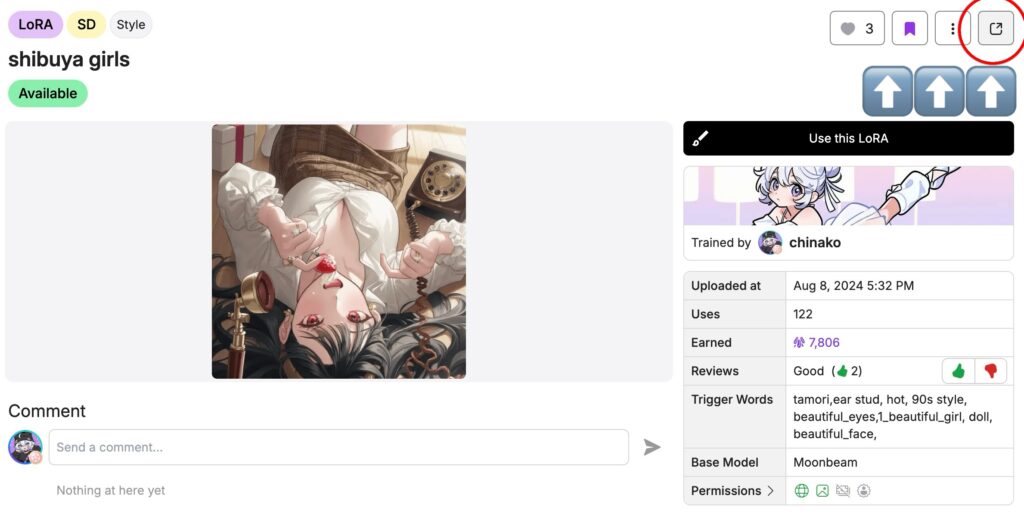
- To add a new version, open your model’s detail page by clicking on the model, then select the icon in the top-right corner.
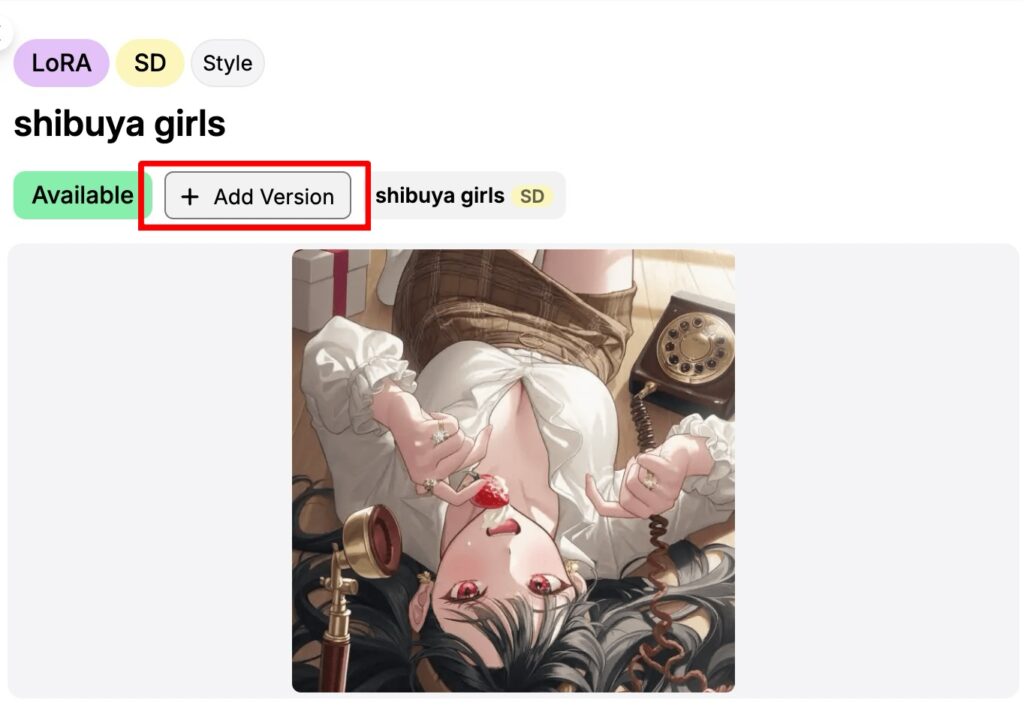
2. On the detail page, click Add version.
3. You’ll be redirected to the LoRA training page, and once training is complete, the new version will be automatically added under the existing model.
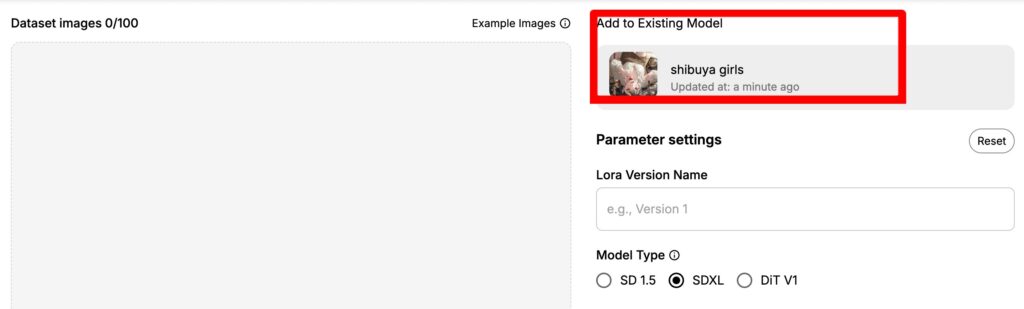
Switching Versions:
- On the model detail page, select a version and click ‘use this LoRA’→ the compatible base model loads automatically.
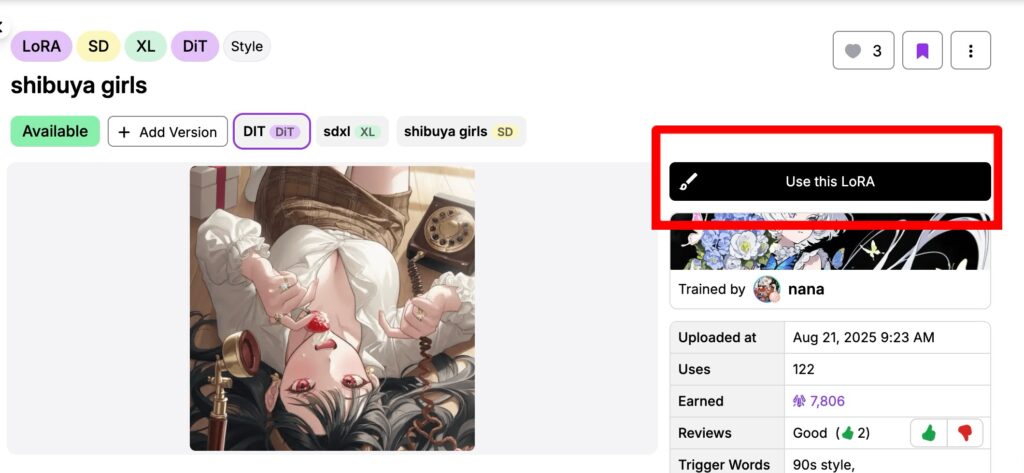
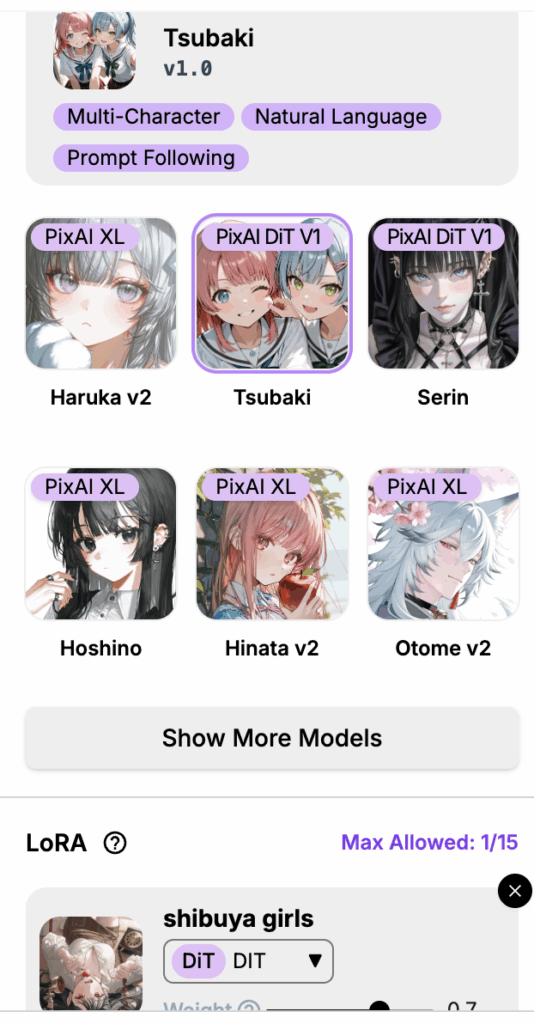
- On the generation panel, after selecting a LoRA, you can switch between its supported base model versions.
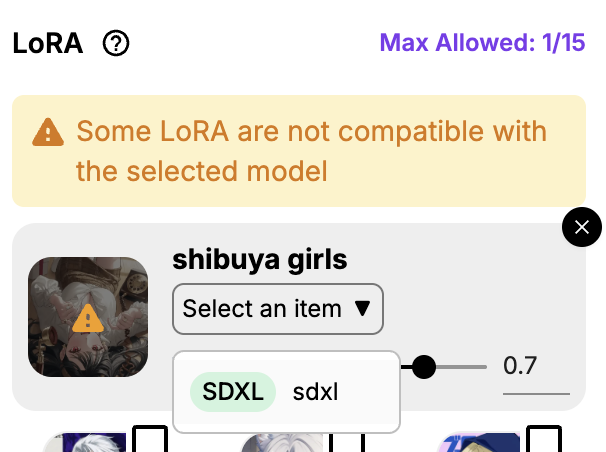
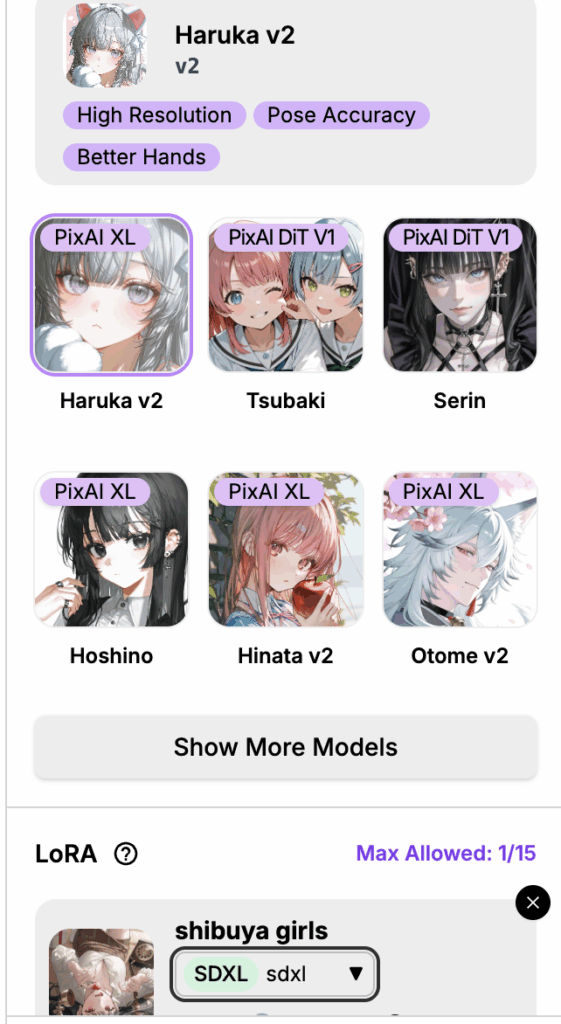
♻️ Dataset Reuse with 50% Discount
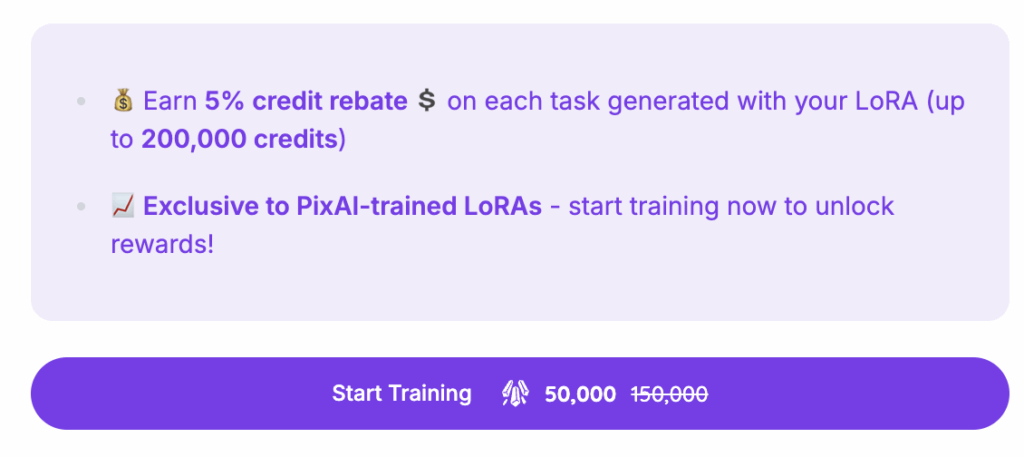
Instead of manually uploading the same images again, you can directly retrain using a dataset from a previous LoRA. Save both time and credits by reusing your previously uploaded datasets with an automatic 50% discount on training costs.
How to Reuse a Dataset:
Method 1: Quick Reuse from Model Details
Go to your personal LoRA list and select the model you want to update.
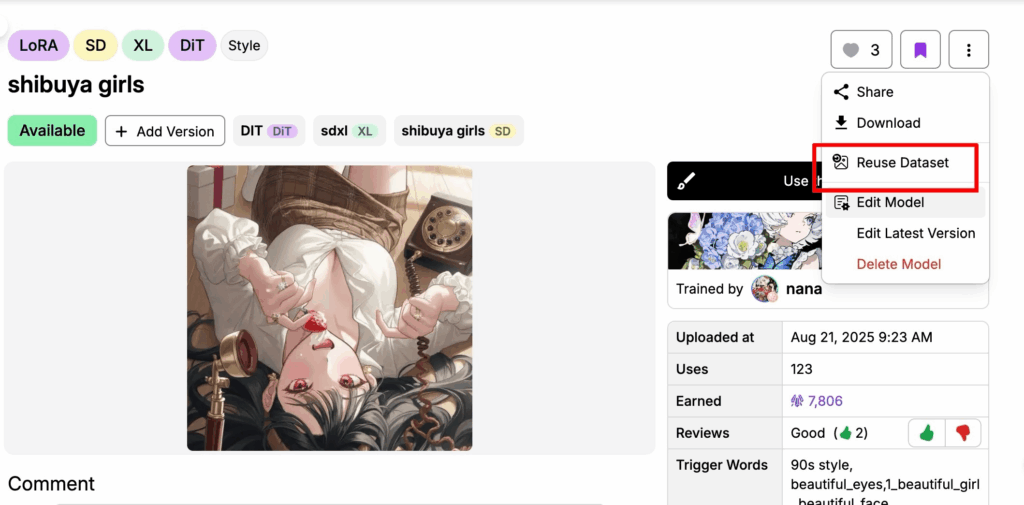
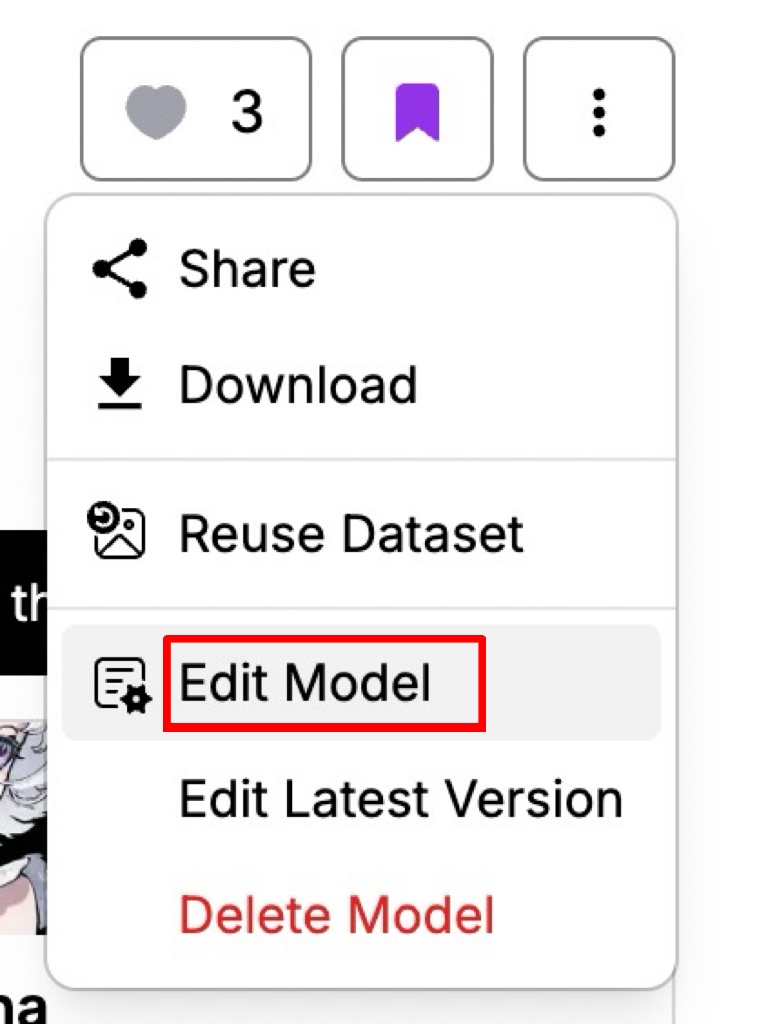
On the model detail page, click the three-dot menu (⋮) in the top-right corner and choose “Reuse Dataset.”
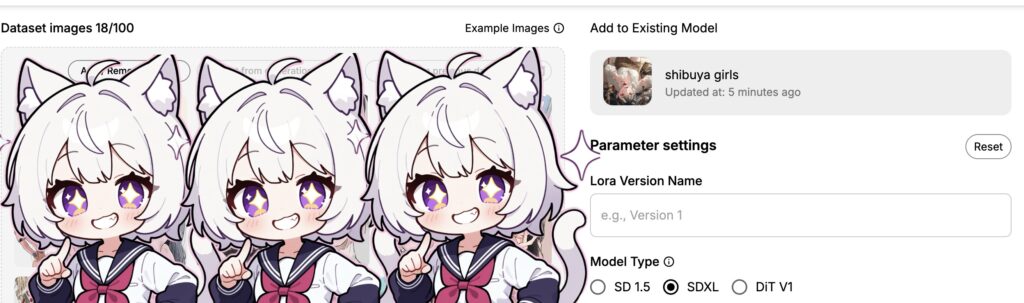
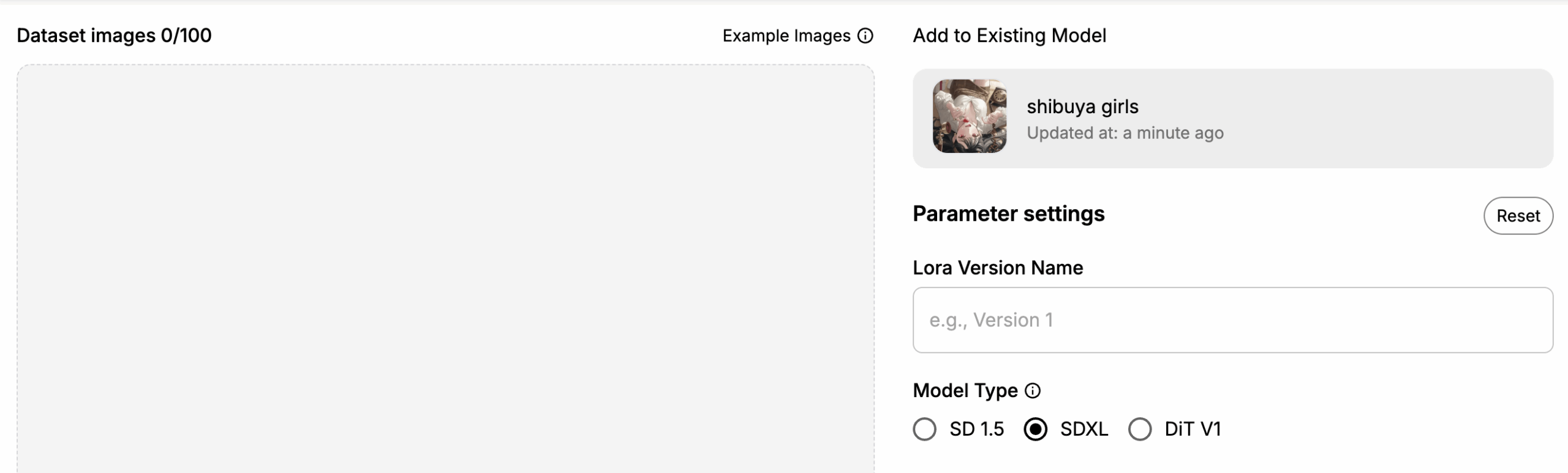
The system will automatically load the dataset from the latest version, and you’ll receive a 50% discount on training.

Note: The 50% discount only applies when reusing the original dataset without changes. If you modify the dataset (for example, by adding or removing images) or create a new version with a completely new dataset, the discount will not apply.
Method 2: Version-Specific Dataset Reuse
If you’d like to reuse the dataset from a specific version (not just the latest one):
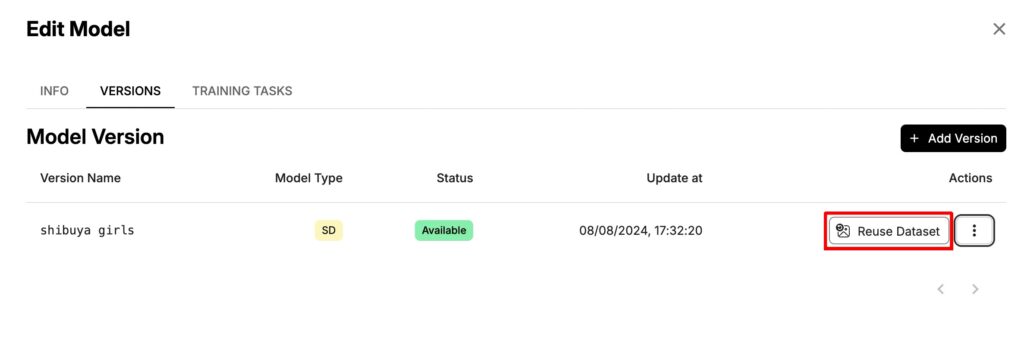
Open the LoRA model’s detail page and click “Edit Model.”
Select the version whose dataset you want to reuse. You’ll then be redirected to the training page, where the dataset from that version will be automatically loaded for you.
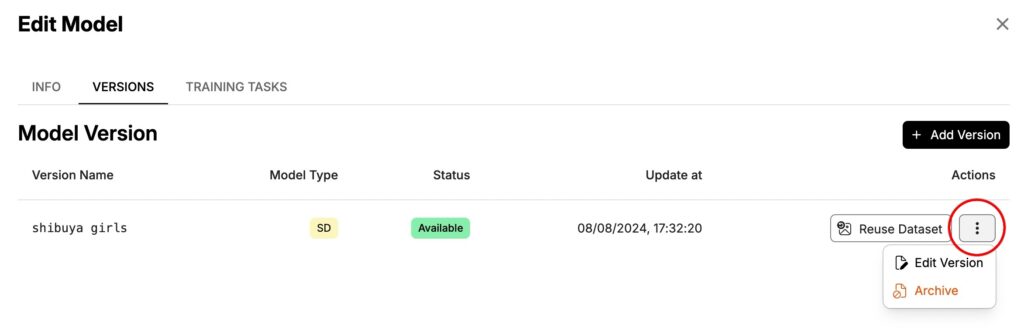
On the Edit Model page, you can also manage individual versions — for example, edit a version’s details or archive it.
❗️Attention! Once a version is archived, it cannot be used and cannot be restored to its previous state.
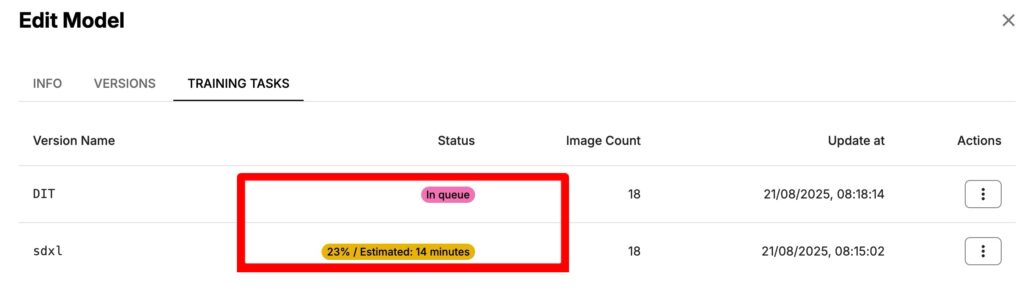
In the Training Tasks section, you’ll see the status of your training tasks. The estimated training time is displayed here, and you can also reuse their datasets directly from the Actions column.
Note: The waiting time shown is for reference only. Actual training duration may vary, and the initial estimate may be less accurate at the start of training.
📚 Important Training Guidelines for DiT LoRA
Expected Training Time
Be prepared for longer training times compared to previous models. DiT LoRA training typically takes approximately 70 minutes to complete.
Trigger Word Best Practices
Trigger words in PixAI’s LoRA system are a little different from older SDXL workflows.
Here’s our recommendation of how to structure them:
- For Character LoRAs:
Follow this format: character_name, source_work, other_attributes
Example:hatsune_miku, vocaloid, etc
- For Style/Concept LoRAs:
Focus on core shared characteristics:
Example:ink_wash_style
- General Guidelines:
- Keep trigger words concise and focused
- Avoid overly long or complex trigger phrases
- Identify the most essential common features
Recommended Dataset Specifications
- Image Count: 30-100 images for optimal results
- Image Quality: Ensure images share common characteristics
- Image Size: Keep dimensions consistent across your dataset
- Cohesion: Images should have clear thematic or stylistic unity
Start exploring these features today, and don’t forget to share your creations with the PixAI community. The future of DiT LoRA is here, and it’s ready to be explored!