
歡迎來到這份關於使用 PixAI 創作絕美背景的綜合教學!雖然我們通常只會在角色生成提示詞中加入「簡單背景 (simple background)」或「白色背景 (white background)」,但如果您想創作令人驚豔的獨立背景作品呢?
無論您需要的是桌布、VTuber 直播場景,還是遊戲環境,本指南將向您展示如何精通 AI 背景生成。
基礎背景圖案 — 核心基石
必備基礎知識
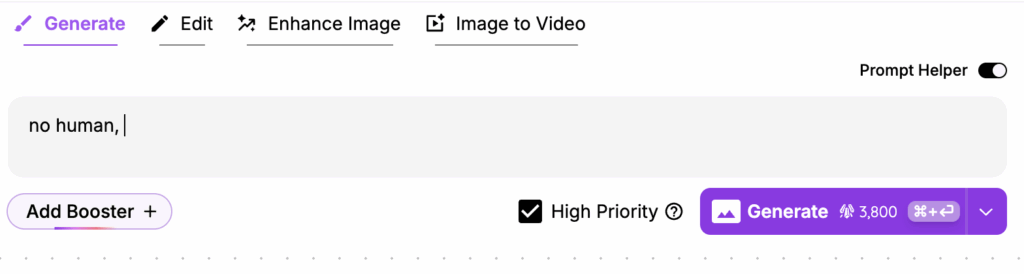
創作背景時最重要的規則是在提示詞中加入 「no human」 或 「no people」。這能確保 AI 不會嘗試在場景中加入任何角色。
這能確保 AI 不會嘗試在場景中加入任何角色。
若要創作平面、平面設計風格的背景,請在提示詞中加入 「flat」,或者更好的方式是使用 「flat color」 的 LoRA 以獲得更一致的結果。
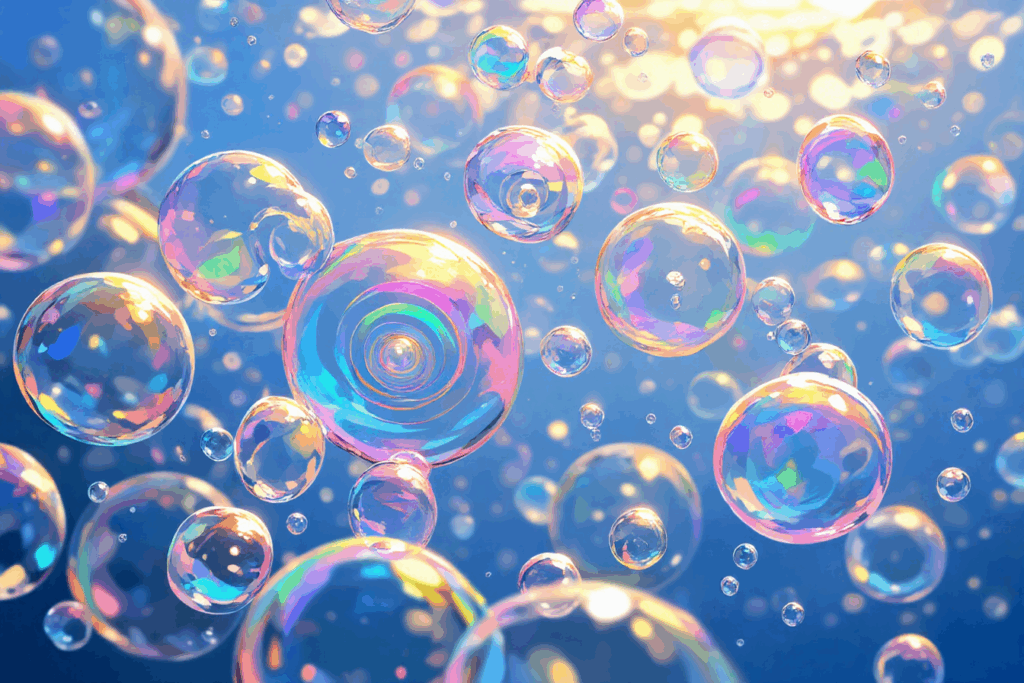
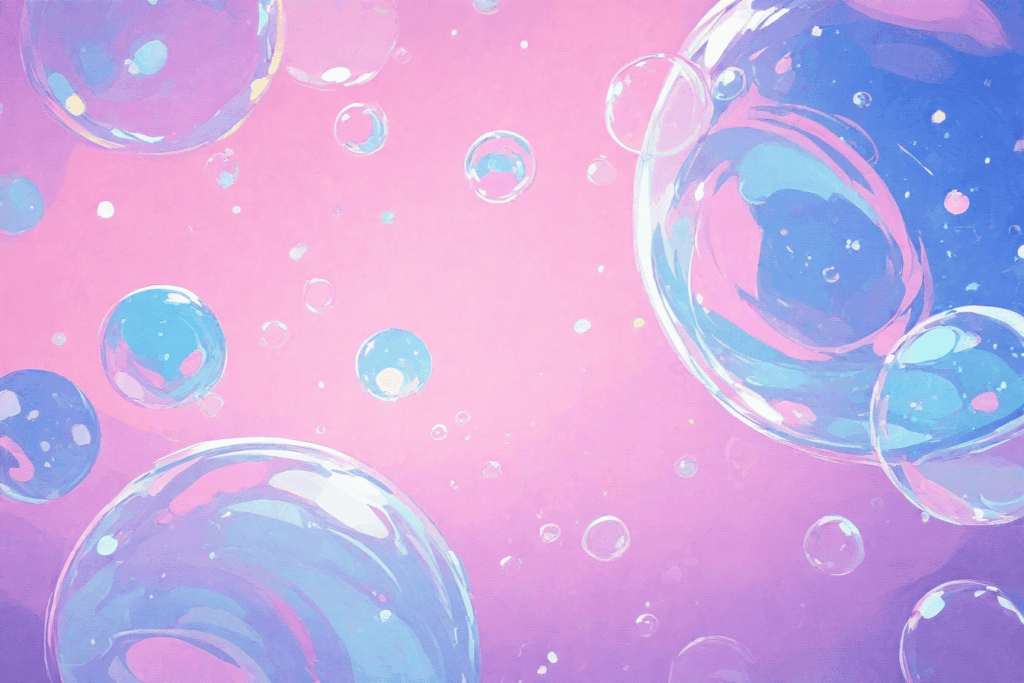
未加入 ‘flat’:
提示詞: no human, bubble background, colorful soap bubbles floating, iridescent spheres, dreamy atmosphere
加入 ‘flat’:
提示詞: no human, bubble background, colorful soap bubbles floating, iridescent spheres, dreamy atmosphere, flat, flat color, no lineart
精通負面提示詞
負面提示詞對於消除背景中不想要的元素至關重要。以下是最有效的設定:
- 常用負面提示詞:
1girl, 1boy, people, human, crowd, blurry, low quality, text, watermark, overexposed, underexposed, distorted
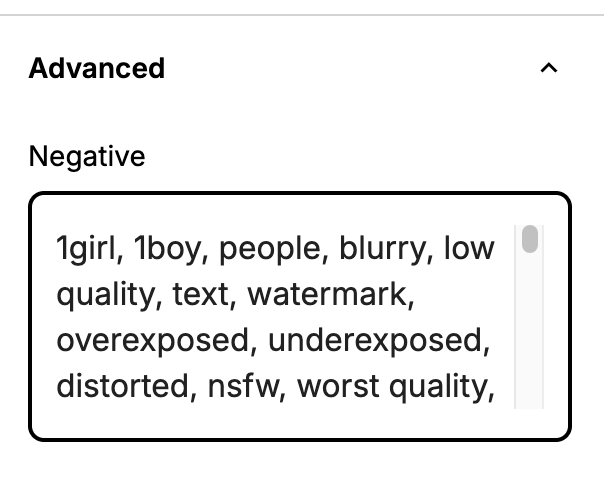
範例負面提示詞
1girl, 1boy, people, blurry, low quality, text, watermark, overexposed, underexposed, distorted
一旦掌握了這些基本原理,您就可以嘗試各種簡單但有效的背景類型,非常適合桌布與一般用途。
簡單背景範例:
圓點

提示詞: no humans, dotted background, flat color, no lineart
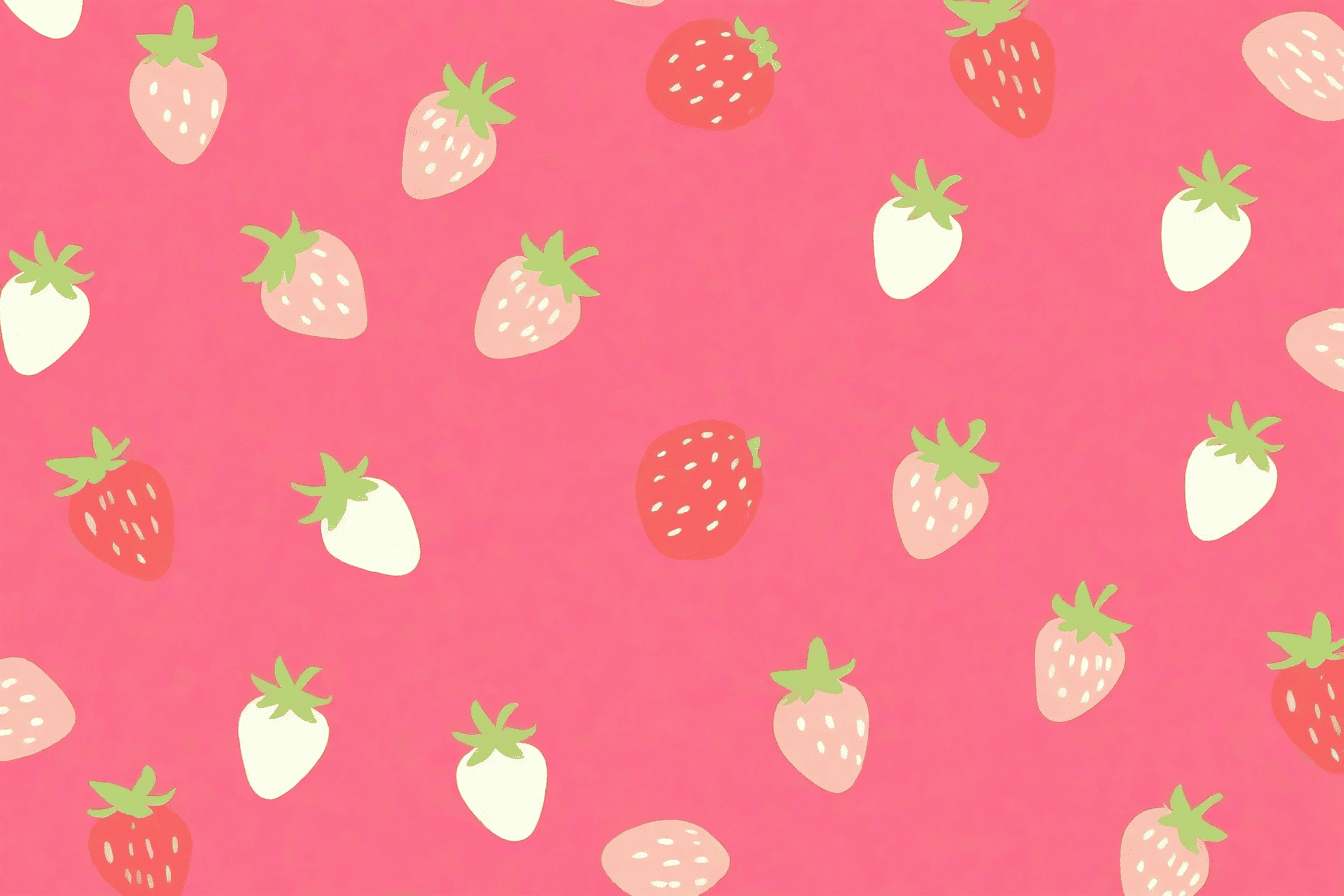
水果
提示詞:no humans, strawberry background , anime style, print, flat,
愛心

提示詞:no humans, heart pattern background, many small hearts scattered, repeating heart motif, pink and red hearts floating, print, flat color, no lineart
複雜的特定用途背景
現在讓我們來探索針對特定用途量身打造的進階背景。
VTuber 直播背景
創作完美的 VTuber 背景需要注意幾個關鍵細節:
技巧 #1:指定視角
視感必須符合您的 VTuber 角色預定擺放的位置。與其只寫「可愛臥室」,不如寫成:
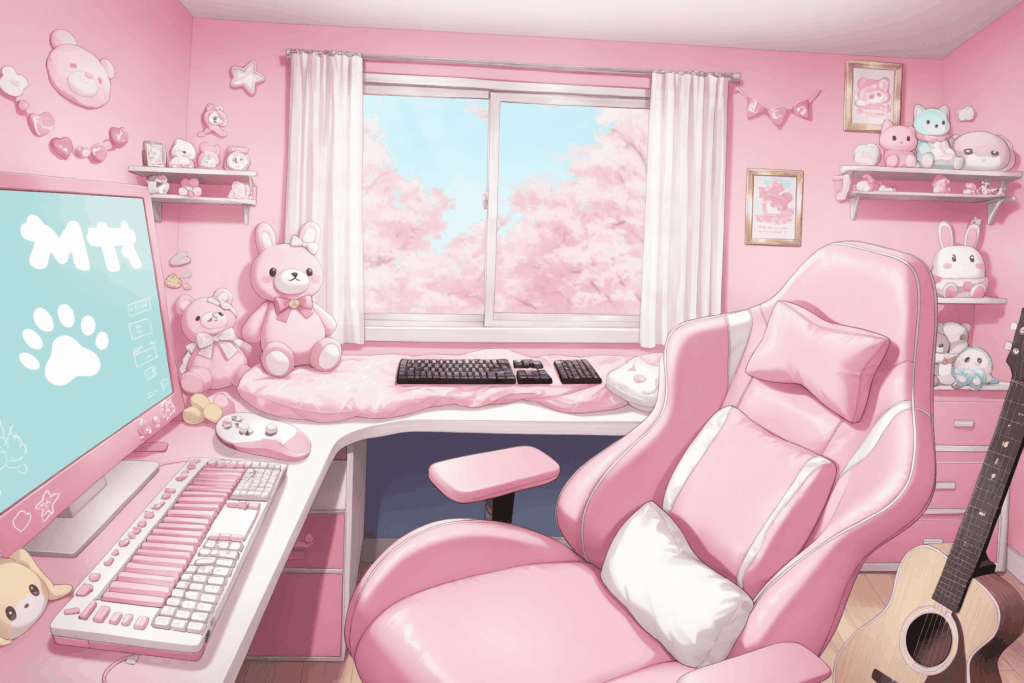
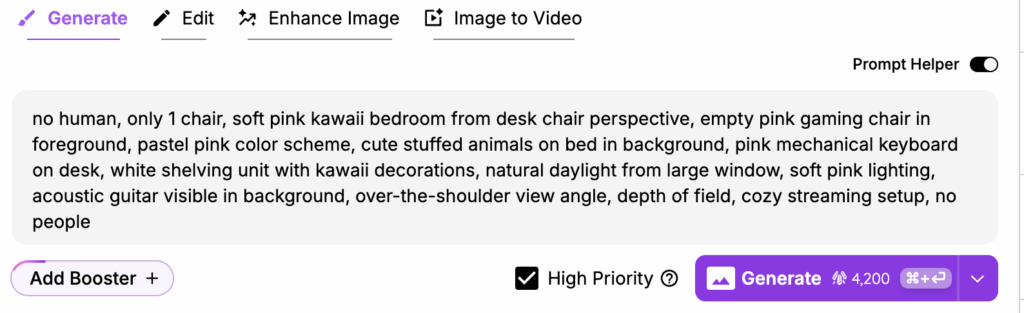
soft pink kawaii bedroom from desk chair perspective, over-the-shoulder view angle, empty pink gaming chair in foreground
(從書桌椅視角看過去的柔粉色可愛臥室,過肩視角,前景有一張空的粉色電競椅)。
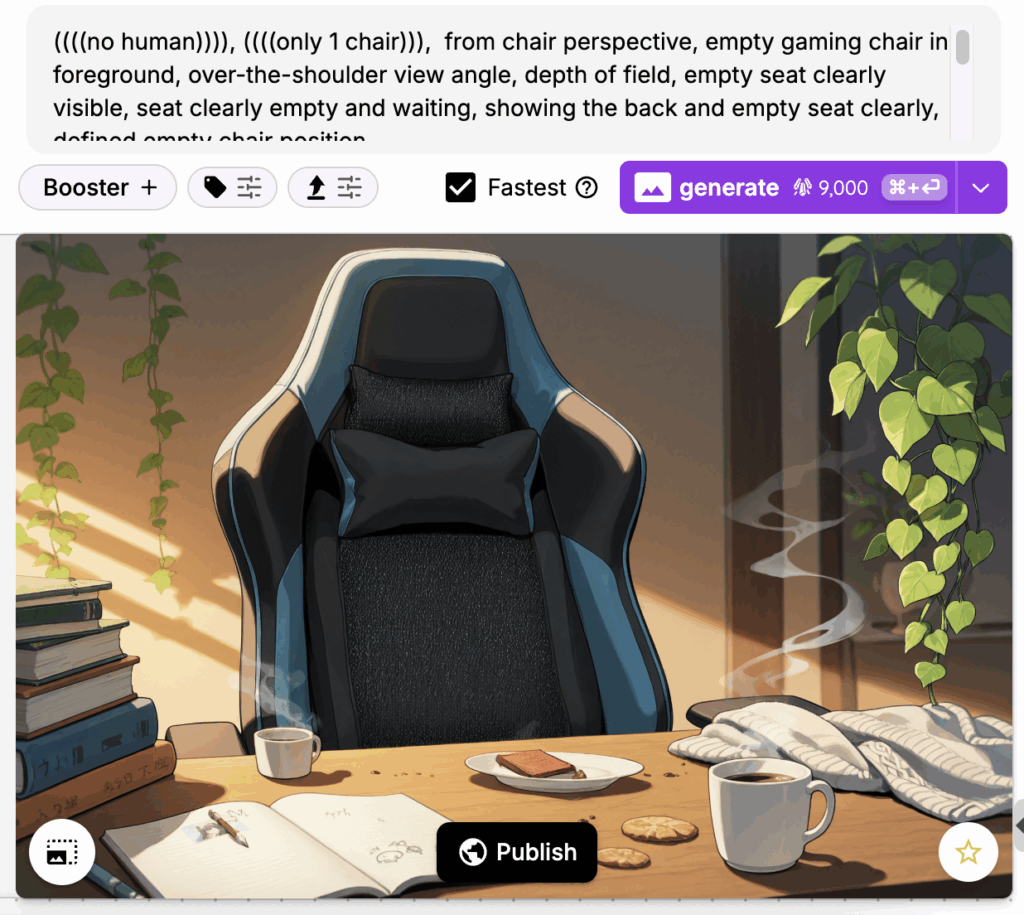
技巧 #2:務必指定椅子數量
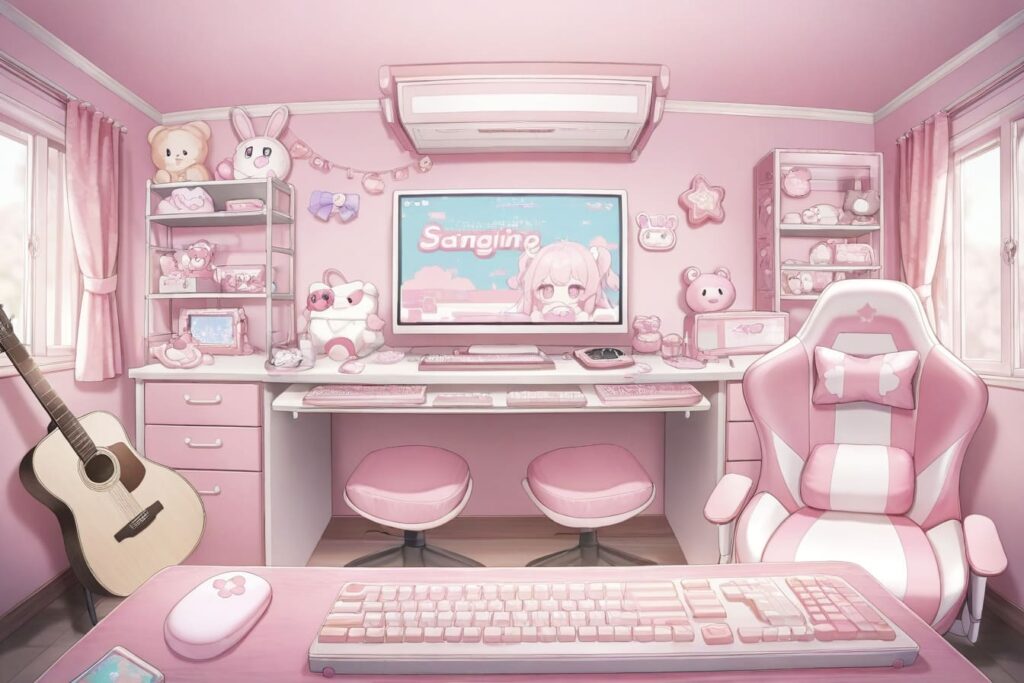
常見的問題是房間裡會隨機出現多張椅子。
請務必在提示詞中加入 「only 1 chair」。
專業小撇步:使用專門的 LoRA
在 LoRA 市場搜尋「VTuber background」來尋找專為直播場景訓練的模型。
推薦LoRA:
推薦模型:Otome v2 非常擅長生成高品質背景。
遊戲背景
對於遊戲開發與互動媒體,請考慮以下兩種主要方法:
視覺小說與換裝遊戲背景
這些遊戲需要乾淨、簡單的背景,以免分散對角色或 UI 介面的注意力。關鍵在於創造有氛圍但不過度細緻的場景。
提示詞策略: 保持簡單。例如客廳場景包含:沙發、咖啡桌、書籍、植物。
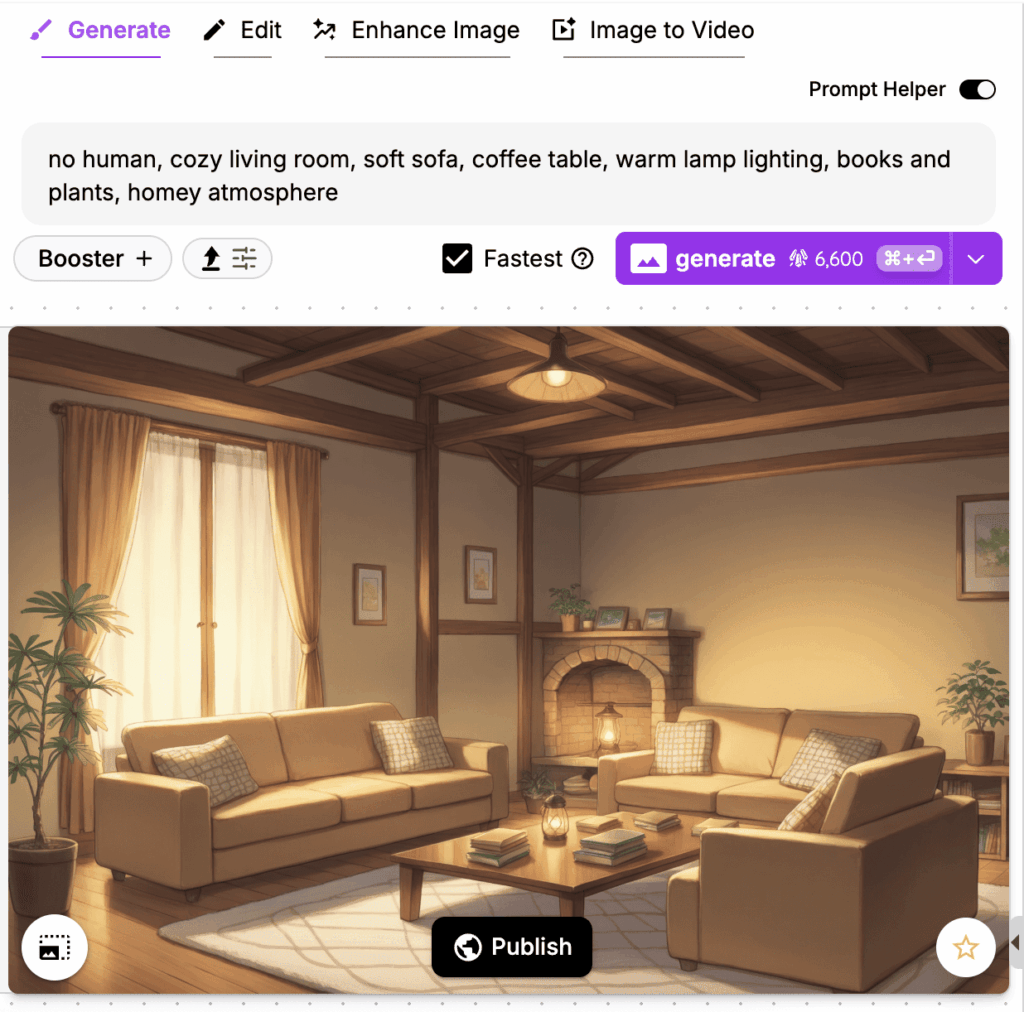
Sofa, coffee table, books, plants
您可以採用相同的方法,創作各種不同的室內場景(如:臥室、廚房、教室)以及戶外環境。
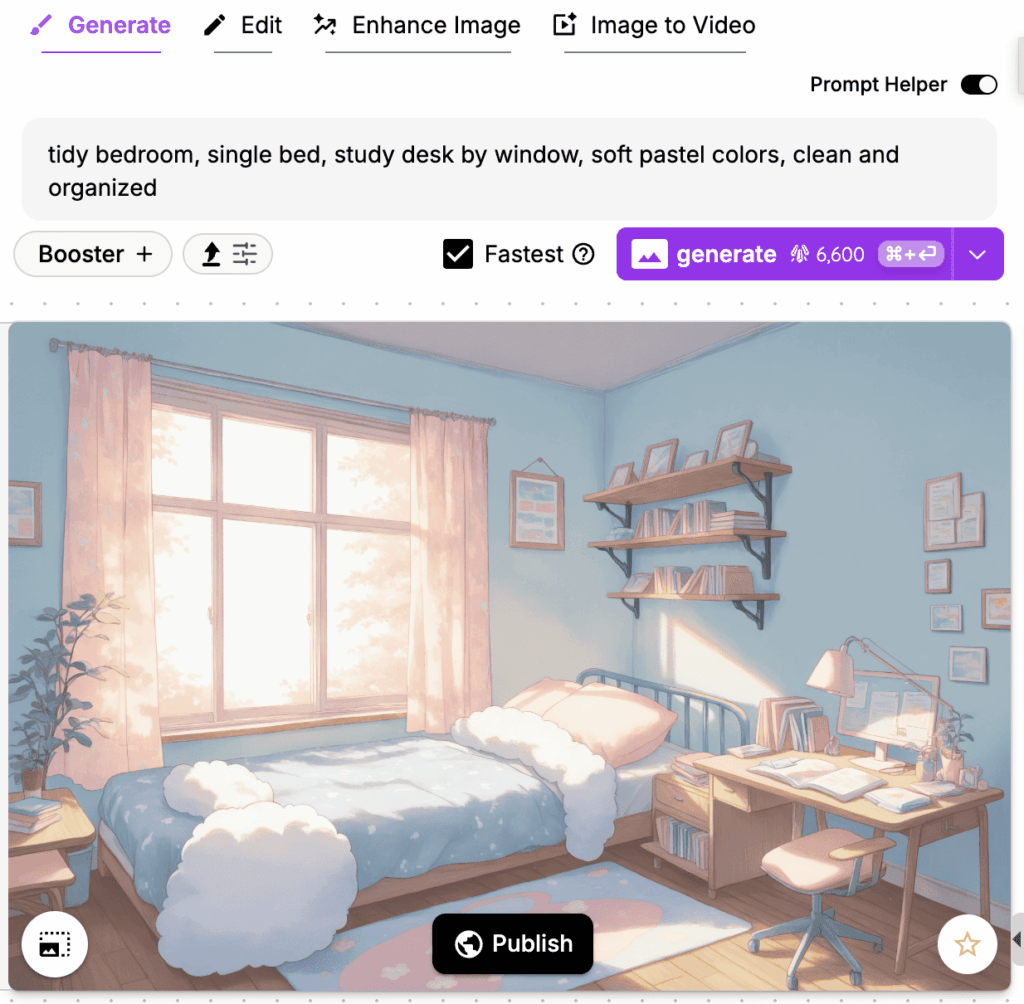
推薦 LoRA: Anime Game BG 可獲得更偏向動漫遊戲風格的結果。
必備補充: 務必加入 「no people」 或 「empty scene」,為您的角色預留空間。
戶外場景範例
別讓您的創意侷限在室內環境!只要運用正確的提示詞技巧,同樣能輕鬆製作出高品質的戶外場景。

範例提示詞 1(海邊碼頭):seaside pier, wooden boardwalk, distant lighthouse, seagulls in sky, peaceful coastal scene
範例提示詞 2(校園中庭):no human, peaceful school courtyard, cherry blossom trees, stone pathway, blue sky with soft clouds, serene atmosphere

使用 Tsubaki 創作電影級故事背景
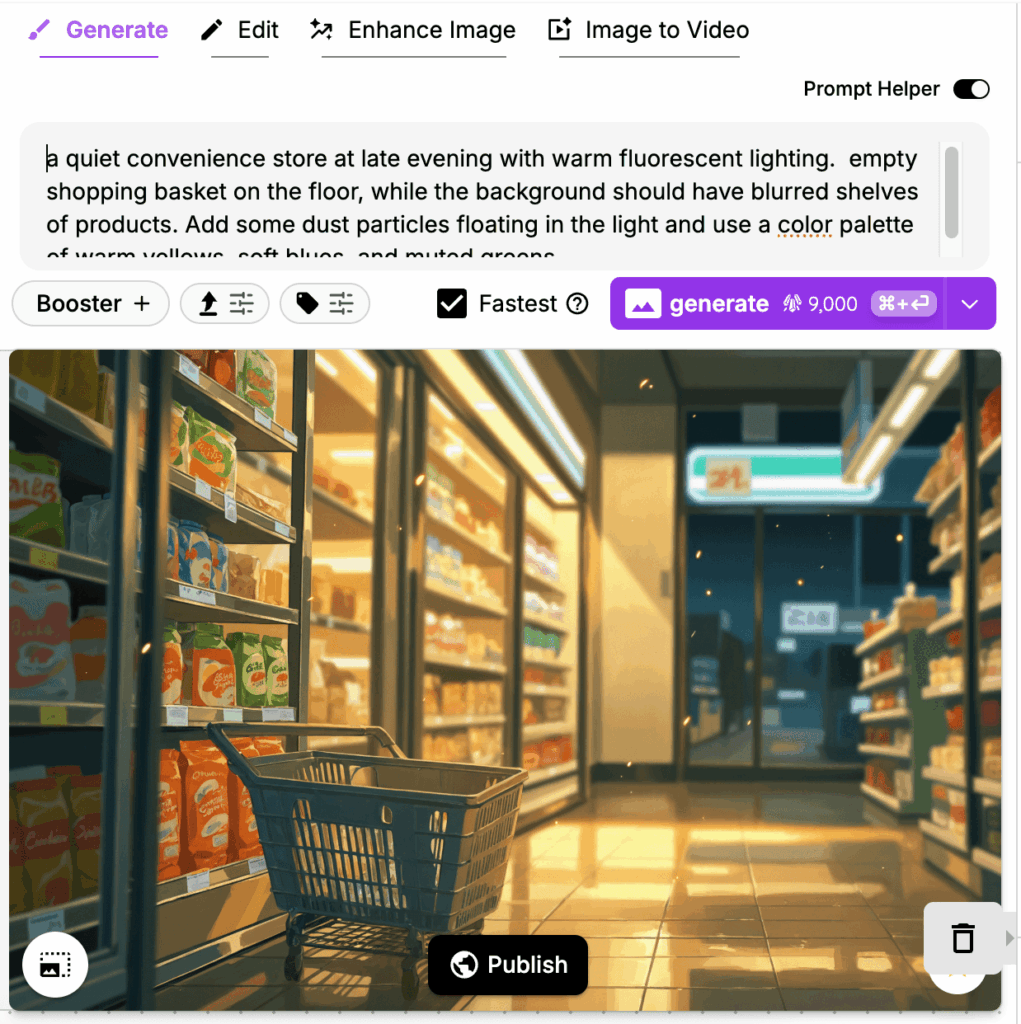
創作電影感的故事背景是我們的新內部模型 Tsubaki 大放異彩的地方。Tsubaki 的特別之處在於它處理構圖與空間深度的能力。
Tsubaki 的優勢
- 卓越的構圖理解:擅長前景、中景與背景的分層處理。
- 光影效果: 能創造複雜且具層次感的光影效果。
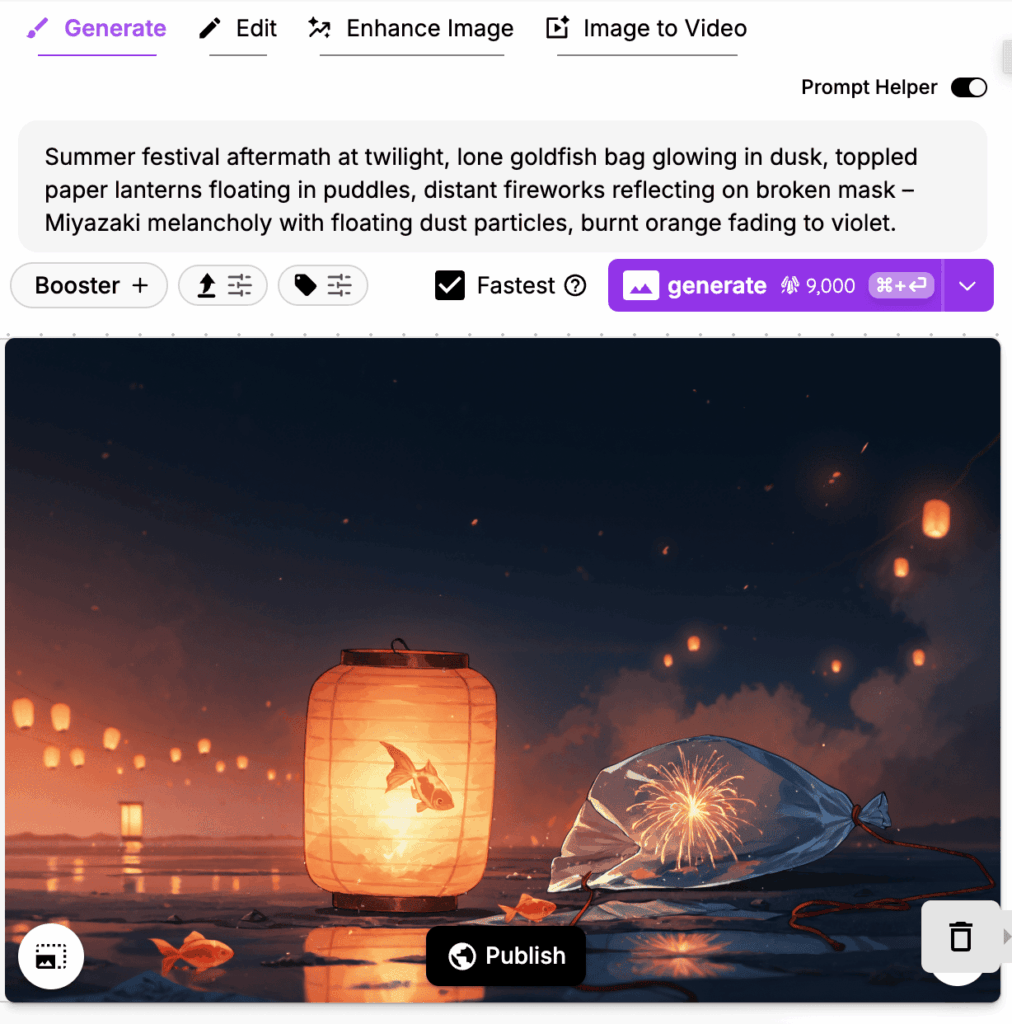
- 處理能力: 無論是標籤式提示詞 (Tag prompt) 還是自然語言描述都能無縫處理。
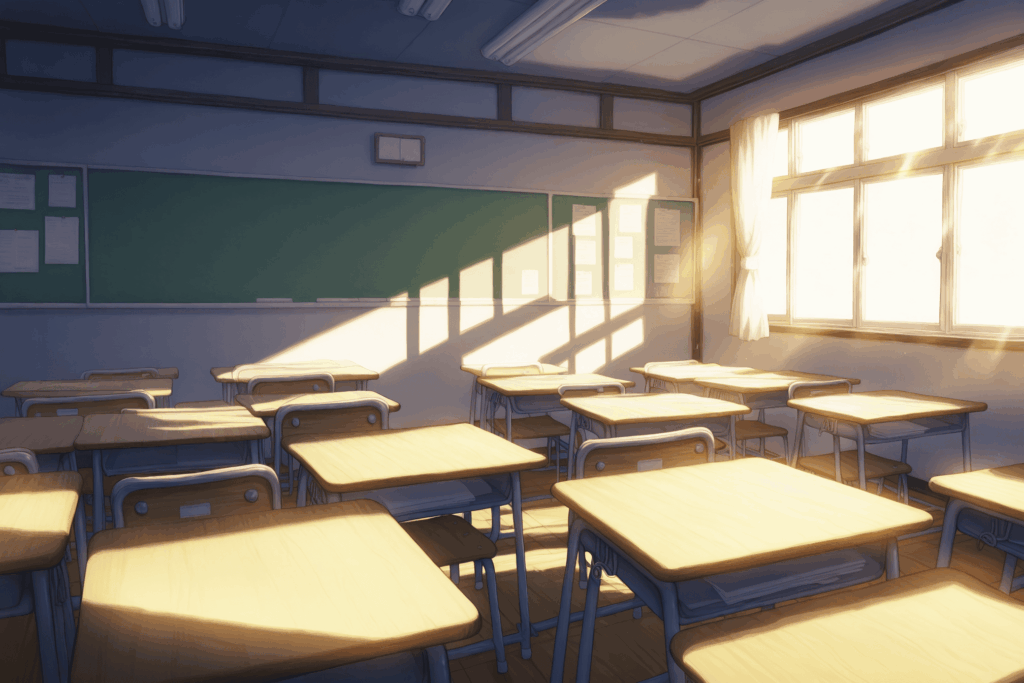
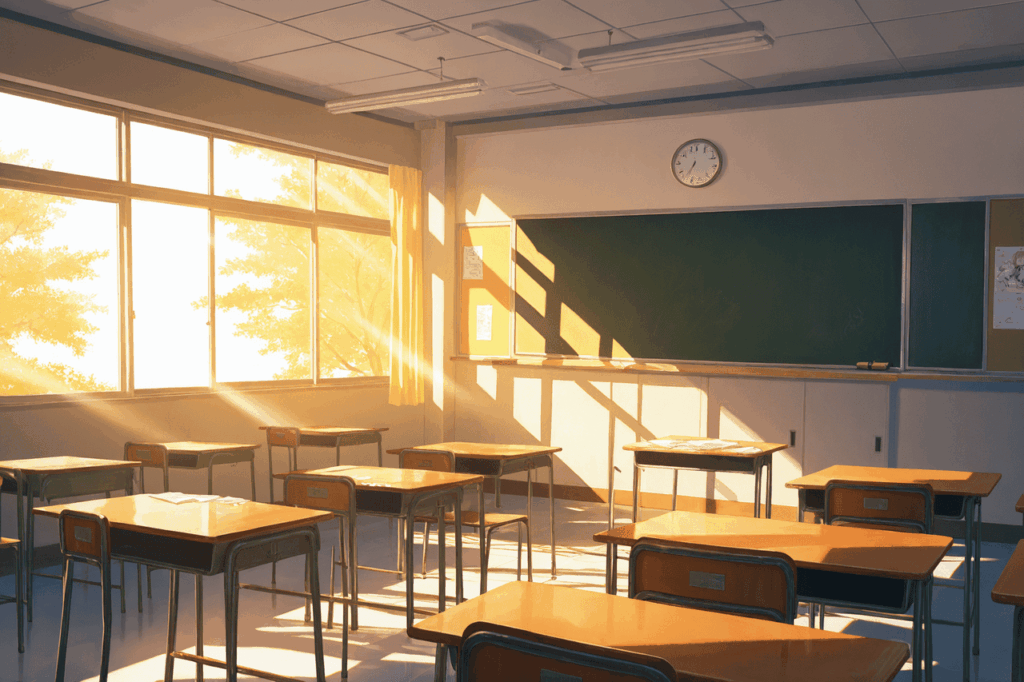
Otome V2 vs. Tsubaki 實測對比
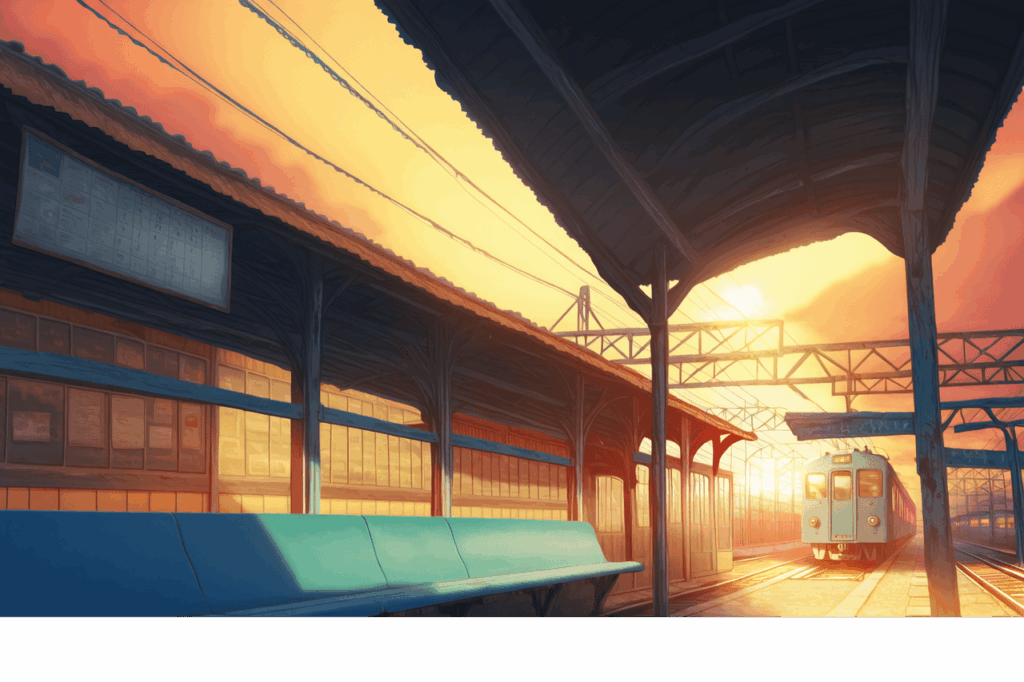
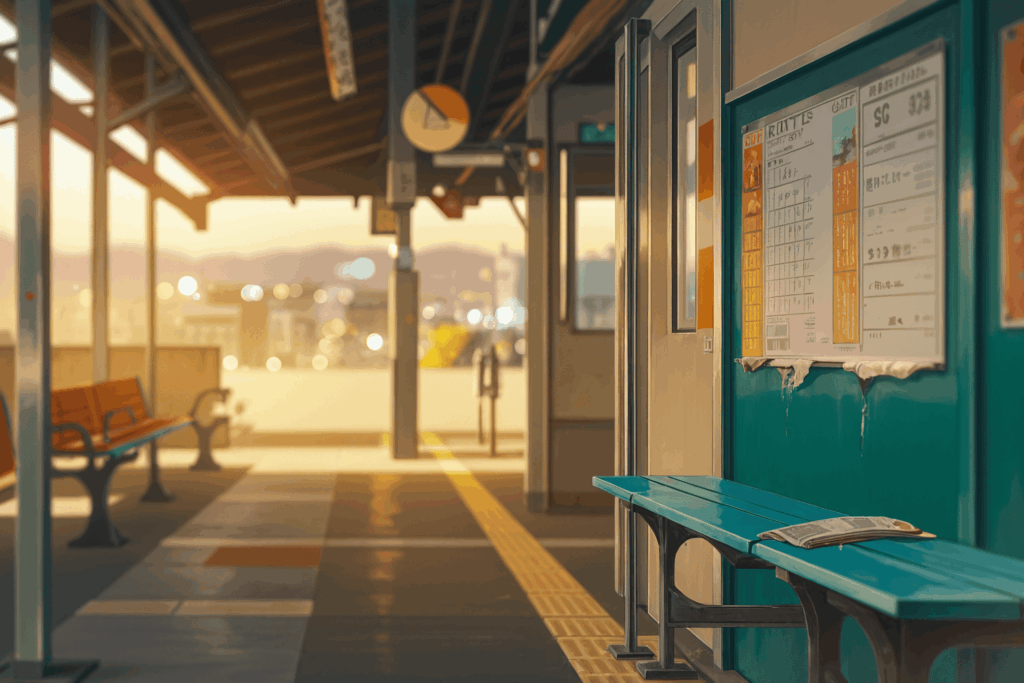
使用相同提示詞,Tsubaki 在場景深度與細節層次上表現更優。
提示詞1:
no human, bright Japanese high school classroom, afternoon sunlight through windows, empty desks arranged in rows, clean minimalist style, soft lighting
提示詞2:
no human, Anime station platform low-angle, [Foreground: empty bench with newspaper] [Back: blurred city lights], peeling timetable posters, volumetric dust in sunset light, palette: rust orange/teal/cream
Tsubaki 的自然語言提示詞
Tsubaki 最強大的功能之一是理解自然語言。您不需要特地加入 no humans 標籤或特定的 LoRA——Tsubaki 會自動理解您想要的是背景,並能根據您的語感呈現出特定的情緒與敘事脈絡。
自然語言範例:
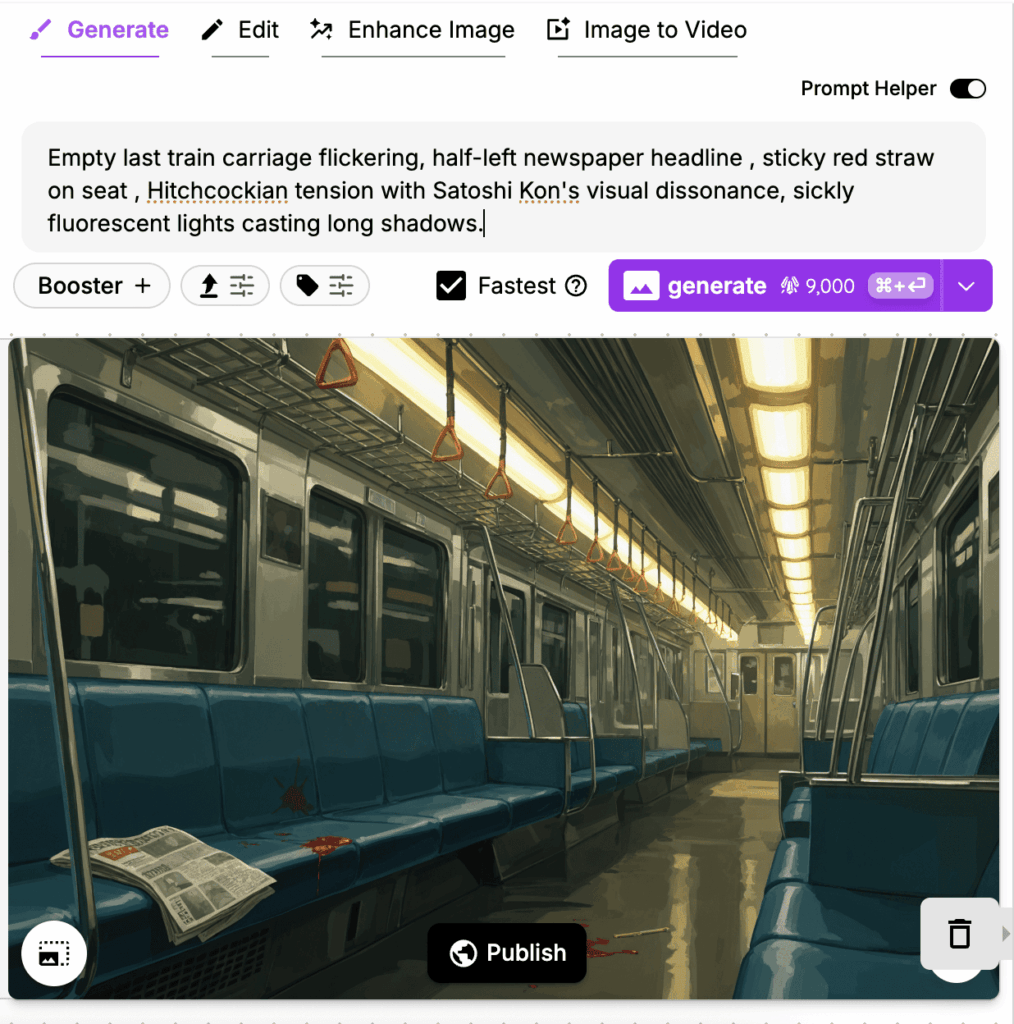
自然語言提示詞的美妙之處在於,您可以精確地描述您想要傳達的情緒與故事,而Tsubaki模型能夠理解其中的敘事脈絡,進而創作出能增強您故事感染力的背景。
結語
您現在已經掌握了創作專業級 AI 背景的完整工具箱!
- 簡單背景: 適合乾淨、不干擾視覺的設計。
- 特定用途背景: 需仔細考慮角色擺放位置與視角。
- 電影級背景: 適合營造情緒與故事氛圍。
如果您準備好將背景生成提升到專業水準,絕對要試試Tsubaki模型!