PixAI Membership
PixAI
PixAI
Generate
Sign in
Home
Generate
Models
Studio
Contest
Mio.2

Conversational creation

AI Tools
Guide

User LoRA

SD

Firefly | Honkai: Star Rail

#white hair#Firefly#Wavy Hair#Honkai: Star Rail#Firefly
HomeModelsMio.2Profile

AI Tools

  • OC Maker
  • AI Anime Generator
  • VTuber Maker
  • Sonic OC Maker
  • Hazbin Hotel OC Maker
  • Anime Character Creator
  • AI Figure Generator
  • Genshin OC Maker
  • All AI Tools

Discover

  • Trending Tags
  • Ranking
  • Model Market
  • Contest
  • News

About

  • Guide
  • PixAI Blog
  • Tsubaki.2
  • Meet Mio, Our Mascot
  • Content Rules

Pricing & Help

  • Membership
  • Buy Credits
  • Contact

Mobile App

  • Get the PixAI app
  • App Store
  • Google Play
© 2026 PixAI
  • Terms of Service
  • Privacy Policy
  • Copyright Policy
  • Attributions
  • Specified Commercial Transactions Law
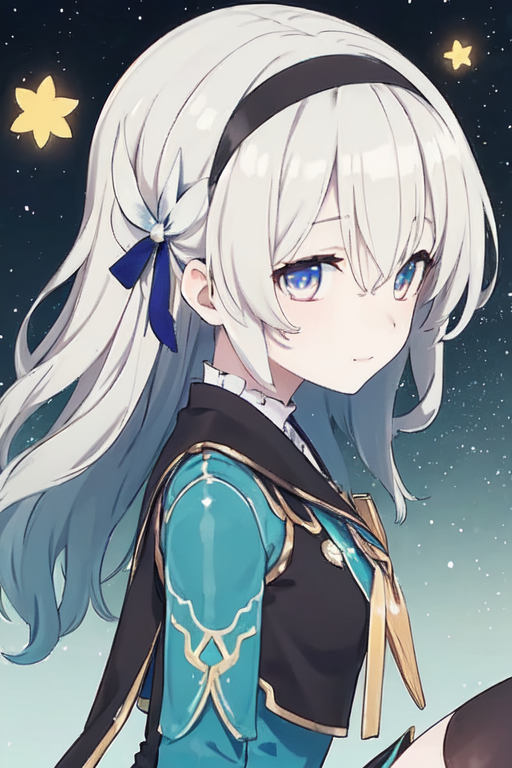
Firefly | Honkai: Star Rail - AI Model cover image
Trained by

user-1587066046398690234

Train Your Own LoRA
Uploaded at
Aug 25, 2023, 8:02 AM
Uses
1.3k
Earned
93,474
Reviews
No reviews
Trigger Words

firefly(honkai star rail),1girl,white hair,long hair,wavy hair,turquoise hair grandient,pale skin,blue eyes with light blue details and pink grandient,black jacket,white and turquoise short dress,black thigh highs,black and white small boots

Permissions
  • Allow image generation & sharing
  • Allow users to download this model
  • Allow commercial use of generated images

Description

☆Firefly character Lora from Honkai Star Rail ☆Recommended Lora strength: less than 0,7 but not lower than 0, 4 ☆Recommended prompts: firefly(honkai star rail),1girl,white hair,long hair,(hair down),wavy hair,turquoise hair grandient,two sides up,black hairband,pale skin,blue eyes with light blue details and pink grandient,black jacket,white and turquoise short dress,black thigh highs,masterpiece,perfect face,perfect anatomy,clearly drawn face,intricate details,detailed face,ultra detailed,detail,details,detailed,good quality,perfect quality,ultra quality,best quality,HD ☆ Use "front view" or "side view" as prompts depending on the image you want to generate.

Comments