PixAI Membership
PixAI
PixAI
Generate
Sign in
Home
Generation
Models
Studio
NEW
Contest
Create with Mio.2

Conversational creation

AI Tools
NEW
Guide

User LoRA

SD

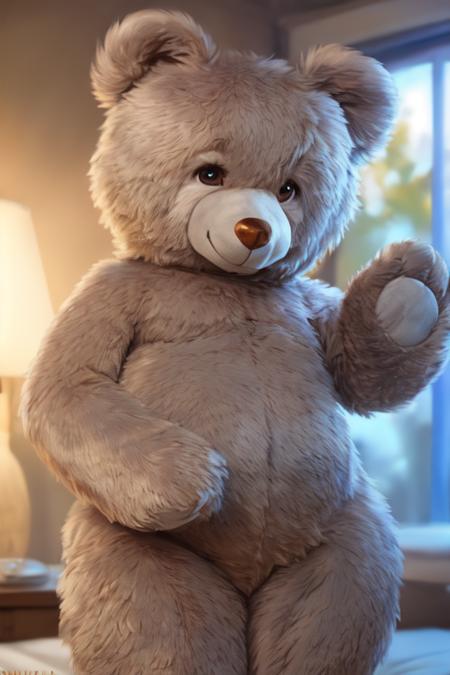
Teddy Bear Toy/Plushify, Character/Concept LoRA by Talboc

#Furry#Teddy Bear#Bear#Toy

AI Tools

  • OC Maker
  • AI Anime Generator
  • VTuber Maker
  • Sonic OC Maker
  • Hazbin Hotel OC Maker
  • Anime Character Creator
  • AI Figure Generator
  • Genshin OC Maker
  • All AI Tools

Discover

  • Trending Tags
  • Ranking
  • Model Market
  • Contest
  • News

About

  • Guide
  • PixAI Blog
  • Tsubaki.2
  • Meet Mio, Our Mascot
  • Content Rules

Pricing & Help

  • Membership
  • Buy Credits
  • Contact

Mobile App

  • Get the PixAI app
  • App Store
  • Google Play
© 2026 PixAI
  • Terms of Service
  • Privacy Policy
  • Copyright Policy
  • Attributions
  • Specified Commercial Transactions Law
Teddy Bear Toy/Plushify, Character/Concept LoRA by Talboc - AI Model cover image
Uploaded at
Oct 10, 2023, 5:57 PM
Uses
2.4k
Reviews
No reviews
Trigger Words

teddy_bear, bear, plushie, photorealism,

Permissions
  • Allow image generation & sharing
  • Allow users to download this model
  • Allow commercial use of generated images

Description

https://civitai.com/models/159507 Author notes, Talboc: originally ran this to teach myself a bit more about LoRA training settings. But it turned out good enough that I decided to upload it. It's trained on twelve images of a giant 50-inch tall teddy bear plush toy manufactured by a company called Sugar Tubs. But it can also be used to plushify characters by balancing the strength of their own LoRA against the weight of this one.

I've found that dialing down the strength of a character LoRA, but then using ((brackets)) or (emphasis:1.5) to crank up specific keywords for character details can help with getting a likeness nailed down.

It can also be used to generate non-bears, by just using plushie as a keyword, and leaving bear and teddy_bear out of your prompt.

Base Model is YiffyMix_V34

Comments