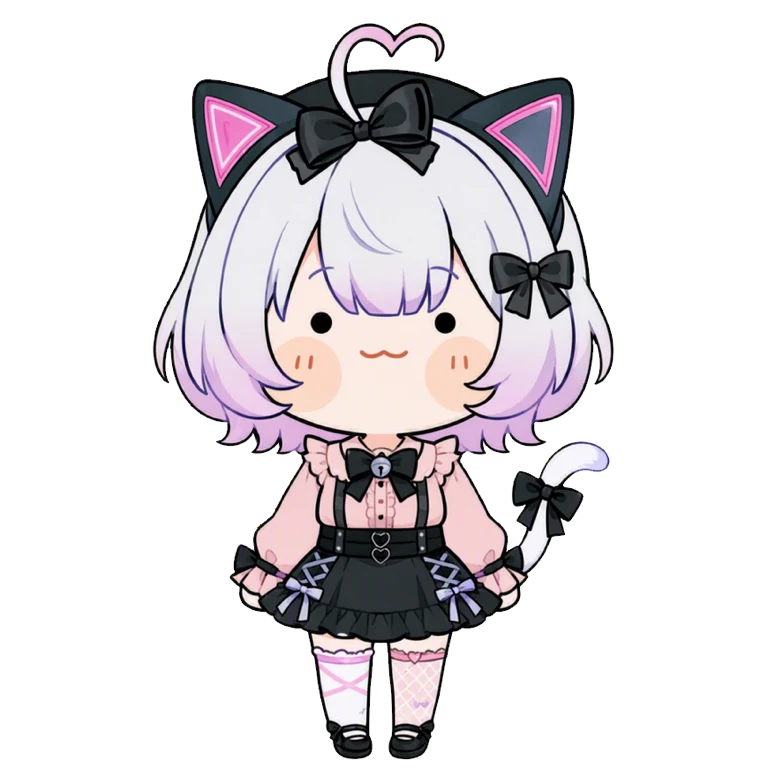

Free AI Image Generator
Create anime art online — free daily credits, 1.8M+ models and LoRAs, runs right in your browser.
Generate for free- Free daily credits
- No watermark
- Runs right in your browser
PixAI's free AI image generator turns a text prompt into anime art in seconds. Choose from 1.8M+ community models and LoRAs, or upload a reference image to restyle a photo or sketch. No installation required.
It's built for character creators, illustrators, and fans: design original characters and keep them consistent across images, or upscale a favorite result for print.
Key features
Thousands of art styles
Pick from 1.8M+ community models and LoRAs, from classic anime and chibi to semi-realistic, and switch art styles any time.
Text to image in seconds
Describe a character, scene or mood and generate a batch of images in one go. Built-in prompt help gets you started if you're new to prompting.
Image to image and photo to anime
Upload a reference to turn a photo, sketch or screenshot into anime art while keeping its overall composition.
Original character Consistency
Add reference images or train a LoRA to keep an original character recognizable across images.
How it works
Describe your image
Write a prompt for what you want to see — a character, a scene, a mood. Built-in prompt help gets you started.
Pick a model and style
Browse 1.8M+ community models and LoRAs to find your art style, from classic anime to semi-realistic.
Generate
Create a batch of images in seconds with your free daily credits, then keep the ones you love.
Refine and download
Inpaint details, upscale the resolution, or animate the result — then download your artwork.

Start creating for free
Free credits every day, 1.8M+ models and LoRAs, and no watermark. Your next artwork is one prompt away.
Generate for freeExplore more on PixAI
AI Image Editor
Inpaint, outpaint and fix details in your images.
Image Enhancer
Fix hands and faces, remove backgrounds and apply filters.
Image to Video
Bring a still image to life as a short animation.
Model Market
1.8M+ community models and LoRAs for any style.
Trending Tags
Browse what the community is generating right now, by tag.
Ranking
The most-liked artwork and models, updated daily.
Frequently asked questions
Is the AI image generator free?
Yes — every account gets free generation credits daily, and you can create and download images on the free plan. Memberships come with extra credits and advanced tools.
Can I turn a photo into anime art?
Yes. Upload a reference image, pick an anime model and describe the style you want. The result keeps the overall composition of your photo while redrawing it as anime art.
Do I need to install anything?
No. PixAI runs right in your browser on desktop and mobile, and iOS and Android apps are also available.
Which models can I use?
You can generate with 1.8M+ community models and LoRAs from the model market, covering anime, chibi, semi-realistic, and many more styles.
Can I create my own original character?
Yes. Add reference images or train a LoRA to keep an original character consistent across generations, or start from the OC maker tool.
What makes PixAI different from other free AI art generators?
PixAI is built around anime and illustration: a library of 1.8M+ community models and LoRAs, free daily credits, character consistency tools, and an editor, upscaler and animation tool in the same place.
Can I use the images commercially?
Yes. PixAI makes no ownership or copyright claim on images you generate, and you're free to use them, including commercially, under the Terms of Service.