Keanggotaan PixAI
PixAI
PixAI
Generate
Sign in
Beranda
Buat
Model
Studio
NEW
Kontes
Buat dengan Mio.2
Toolbox
NEW
Dokumen PixAI

LoRA Pengguna

SD

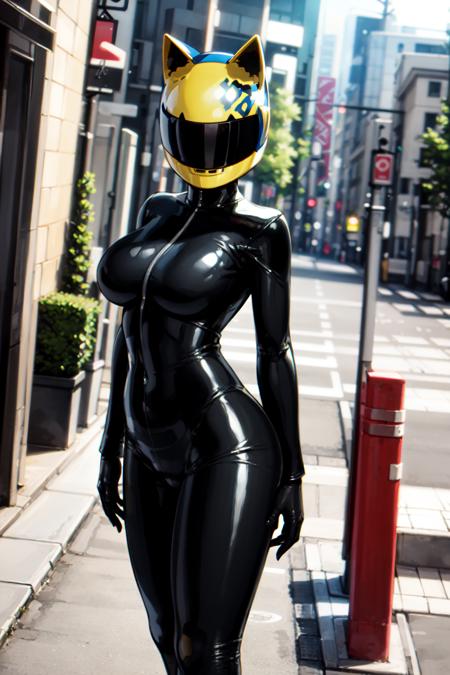
Celty Sturluson - Durarara!!

#Bodysuit#Helmet#Celty Sturluson
Alat AI
  • Generator Anime AI
  • Generator Figur Anime
  • Generator Lembar Karakter
  • Generator Sampul Majalah
  • Generator Boneka
  • Generator Patung Raksasa

Temukan

  • Tag Populer
  • Peringkat
  • Model Market
  • Kontes
  • Berita

Tentang

  • Dokumen PixAI
  • Cara Menggunakan PixAI
  • Tsubaki.2
  • Kenalan dengan Mio
  • Aturan Konten

Harga & Bantuan

  • Keanggotaan
  • Paket Kredit
  • Kontak

Aplikasi Seluler

  • Dapatkan aplikasi PixAI
  • App Store
  • Google Play
© 2026 PixAI
  • Ketentuan Layanan
  • Kebijakan Privasi
  • Kebijakan Hak Cipta
  • Atribusi
  • Undang-Undang Transaksi Komersial Tertentu
Celty Sturluson - Durarara!! - AI Model cover image
Diunggah pada
12 Mar 2024, 15.42
Penggunaan
857
Ulasan
Belum ada ulasan
Kata Pemicu

celty

Izin
  • Izinkan pembuatan & berbagi gambar
  • Izinkan pengguna mengunduh model Anda
  • Penggunaan komersial

Deskripsi

Celty Sturluson from the anime Durarara!! - Full disclosure, I've never seen this anime, but I loved her design, and... here we are!This is a lora trained on 87 hand picked images (and 1 gif by accident lol) of Celty from Durarara!! It was exclusively trained on digital art, no 3d content. It gets the helmet pretty good along with her suit, mostly because her design is pretty simple besides the helmet. It was trained on danbooru-style tags, so use those when trying to prompt - I've included the tags in a .txt file in the "Training Images" download below.It works pretty well with most ckpts, but I recommend Anything 4.5, I used it for most of the example images.NOTES:-The helmet could be removed if you prompt no helmet and define the facial features, and lower the weight... But why would you do that?!-It will still have issues generating vehicles/motorbikes, but it can still kind of work on some models if you're lucky-It can generate a "male" version of this character with the right promptingExample prompt: (See example images, all images should still have their metadata. Just drag the images onto the PNG info tab and import it.)

Komentar1