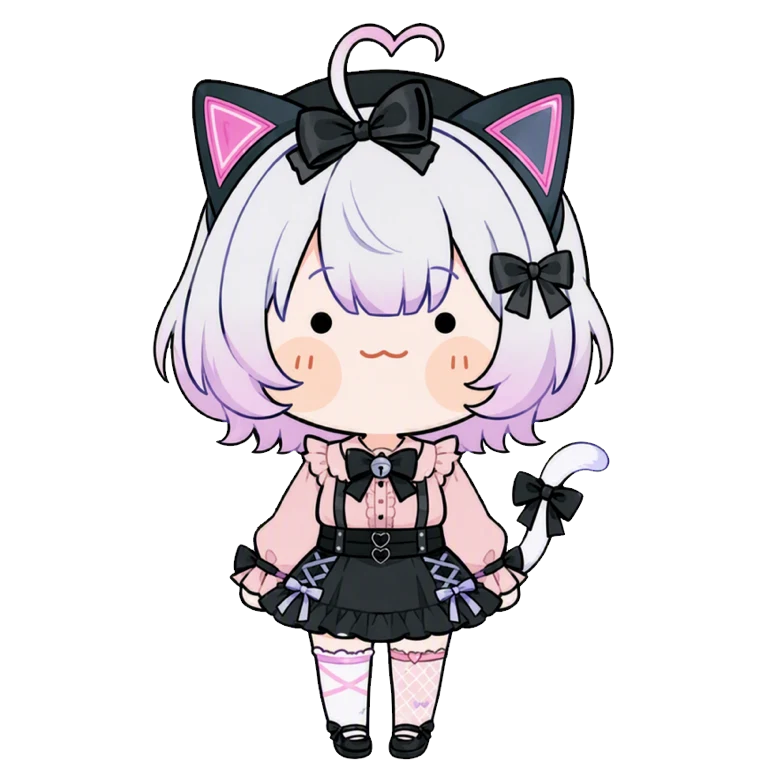


七夢
moonbeam_soft_painterly_cinematic_anime_character_illustration_style,
(説明必読・特殊条件)DiT2版 SD1.5 moonbeam style
1・はじめに
・本LoRAの目的は、SD1.5のモデルである、「moonbeam」風のイラストの作成となります。
・トリガーの状態で生成をかけると、「moonbeam」風の女の子のイラストが生成されます。トリガー状態のモードは「スタンダード」です。
・ただし、プロンプトを追加する、キャラLoRAを併用する等した場合に、すぐにスタイルが崩れます。(Tsubaki2の高画質になる。)そこをどのように制御するのかが課題となります。完璧な再現は不可能ですが、ある程度までは制御できるので、その方法を以下に記載させて頂きます。
2・styleの維持の方法
①モードは「プロ」推奨です。ネガティブプロンプトを使用するためです。ネガティブが使用できない「スタンダード」でも、近いものは出来ます。「ウルトラ」は高画質になりすぎます。「ライト」は、生成が早すぎて、SD1.5の再現には向いていないと感じています。
②以下をプロンプトに追加してください。 「full body,head to toe,full character in frame,soft painterly anime style,gentle anime illustration,soft brushwork,delicate skin shading, smooth skin shading,subtle facial shading,large soft anime eyes, round gentle face,soft hair highlights,low contrast lighting,diffused soft light,soft ambient light,subtle warm rim light,gentle cinematic lighting,muted colors,pastel color grading,soft shadows,simple outfit details,clean character design,moderate costume detail,simple background,background softly blurred,shallow depth of field, calm atmosphere,soft illustration look,not too sharp,not overly detailed,」
③ネガティブを1度削除した上で、以下をネガティブに追加してください。 「overly sharp Tsubaki style,too glossy,plastic skin,over-rendered, hard cel shading,excessive line sharpness,flat anime coloring, overly saturated colors,generic Tsubaki2 style,bright daylight, flat daylight,generic anime lighting,sharp Tsubaki lighting, high noon lighting,overexposed sunlight,」
④以下の順番で、プロンプトを入れるのが良いように感じています。
1・トリガープロンプト 2・追加プロンプト 3・キャラLoRAのプロンプト又はキャラクターに関するプロンプト
⑤LoRAの強さについて 本LoRA 1.2 キャラLoRA 0.0
⑥併用するLoRAは1つまでが良いのかなと思います。2つ併用すると それだけTsubaki2の影響力が強まるような気がしています。2人のキャラクターを登場させたい場合には、「PixAI Edit Pro」を使用して、キャラを追加するのが良いのかなと思います。
⑦武器を描くのがあれ?上手くできないと感じたら、1536×1536で生成すると上手くいくかもしれません。テストケースでは弓本体を描写してこないケースがありました。
・プロンプトが長すぎる。 ・キャラ関係のプロンプトは最後なので、優先度が落ちる。
これらが原因?かとも思うのですが、現状ではよく分かりません。
⑧その他。 これまでに記載した事項は、多数のテスト結果から、生成確率がもっともよいと思われる条件を記してあります。お好みに応じて、LoRAの強さを変えてみるなど、試行錯誤するのも楽しいかもしれません。
また、もっと別に良い手段があるのかもしれません。
本LoRAを作成するにあたっては、SD1.5「moonbeam」にて512*768サイズで、LoRAを使用して、イラストを大量に生成。そこから似た雰囲気の物のみを抽出して作成しています。約50枚×2というイメージです。
作成したイラストは基本的に、女の子の上半身のみが大半ですが、Tsubaki2で作るメリットとしては、SD1.5「moonbeam」の雰囲気をある程度保った状態で、大きいサイズの全身のイラストが作成できることかなと感じました。
ただし、完璧な再現は困難です。
また、私自身が画像生成で遊び始めたのが、SDXL~DiTの時期のため、SD1.5モデルに詳しい訳ではありません。
当時を知る先輩方にとっては、いろいろとツッコミどころはあるのかなとは思います。
SD1.5「moonbeam」とはいっても、多様なイラストのスタイルはあるものと考えますので、あくまでも1例ということになります。
SD1.5「moonbeam」風として、楽しく遊んでもらえればうれしいですm(__)m
(Please read the explanation carefully - Special conditions) DiT2 version SD1.5 moonbeam style
The purpose of this LoRA is to create an illustration in the style of "moonbeam," a model from SD1.5.
When generation is performed in trigger mode, an illustration of a girl in the style of "moonbeam" will be generated. The trigger mode is "Standard."
However, the style will immediately break if prompts are added or if character LoRA is used in conjunction. (It will become high-resolution like Tsubaki2.) The challenge lies in how to control this. Perfect reproduction is impossible, but it can be controlled to a certain extent, and the method is described below.
① "Pro" mode is recommended. This is because negative prompts are used. A similar result can be achieved even in "Standard" mode, where negative prompts cannot be used. "Ultra" is too high-resolution. "Light" generates too quickly and is not suitable for reproducing SD1.5.
② Add the following to your prompts.
"Full body, head to toe, full character in frame, soft painterly anime style, gentle anime illustration, soft brushwork, delicate skin shading, smooth skin shading, subtle facial shading, large soft anime eyes, round gentle face, soft hair highlights, low contrast lighting, diffused soft light, soft ambient light, subtle warm rim light, gentle cinematic lighting, muted colors, pastel color grading, soft shadows, simple outfit details, clean character design, moderate costume detail, simple background, softly blurred background, shallow depth of field, calm atmosphere, soft illustration look, not too sharp, not overly detailed,"
③ Delete the negative once, then add the following to the negative.
"Overly sharp Tsubaki style, too glossy, plastic skin, over-rendered, hard cel shading, excessive line sharpness, flat anime coloring, overly saturated colors, generic Tsubaki2 style, bright daylight, flat daylight, generic anime lighting, sharp Tsubaki lighting, high noon lighting, overexposed sunlight,"
④ I feel it's best to insert prompts in the following order:
⑥ I think it's best to use only one LoRA at a time. Using two at once seems to increase the influence of Tsubaki2. If you want to feature two characters, I think it's best to add them using "PixAI Edit Pro".
⑦ If you're having trouble drawing weapons, generating them at 1536x1536 might help. In test cases, there were instances where the bow itself was not rendered.
The prompt was too long.
Character-related prompts are at the end, so their priority is lower.
These might be the causes, but I'm not entirely sure at this point.
⑧ Other.
The items described above are based on numerous test results, and represent the conditions that seem to yield the best generation probability. You might enjoy experimenting by changing the LoRA strength to suit your preferences.
Also, there might be other, better methods.
To create this LoRA, I generated a large number of illustrations using LoRA at a size of 512*768 in SD1.5 "moonbeam". From these, I extracted only those with a similar feel. It's roughly 50 images x 2.
The created illustrations are mostly just the upper bodies of girls, but I felt that the advantage of using Tsubaki2 is that it allows for the creation of larger, full-body illustrations while maintaining a certain degree of the SD1.5 "moonbeam" aesthetic. However, a perfect reproduction is difficult.
Also, since I started playing around with image generation during the SDXL-DiT era, I'm not particularly familiar with the SD1.5 model.
I imagine there might be several points that older users who remember that era would find inaccurate.
Even within the SD1.5 "moonbeam" style, there are diverse illustration styles, so this is merely one example.
I hope you enjoy playing around with this as an SD1.5 "moonbeam" style creation! m(__)m


