Recommended settings
Quick start
Model: AbyssOrangeMix2
LoRA weight: 0.6 (UNet: 0.6, TEnc: 0.25)
[realistic], [3d], (3dcg), ((octane render)), [fisheye] in positive prompt for realism
simple background, grey background in negative prompt
CLIP skip: 2
Sampler: DPM++ SDE Karras (Euler a recommended for other models)
EasyNegative in negative prompt
Usable
LoRA weight range: 0.2 - 1.15 (UNet: 0.35 - 1.15 TEnc: 0.2 - 1.0)
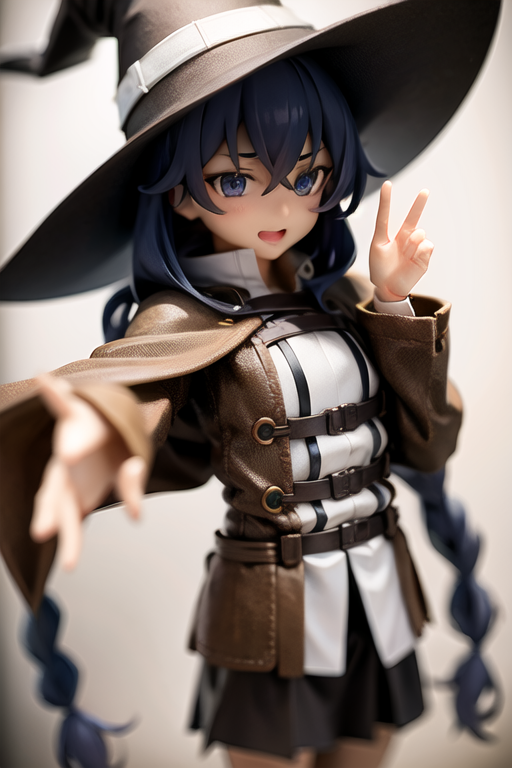
UNet is required for the style. UNet over 0.65 will look like an anime figure product. Too high UNet weight will melt details.
Lower TEnc weight will improve generalization. High TEnc will affect composition to look more like an anime figure product photo. Too high will fry the details.
Start with lower weight and increase as necessary. Requires more weight when mixed with TI embeddings and other LoRAs.
Figma
Trained on 5,746 images scraped from GoodSmile's international catalogue, including the discontinued products. All images were tagged with figma first and the product name with figma stripped out second, so an image from a product named "figma Hatsune Miku" would be tagged figma, hatsune miku. All other tags came from the WD1.4 tagger. 3d and realistic tags seem to work well with it.
The alpha16 version is better at generalizing, while the 7e-5 version is better at capturing the figure-with-transparent-stand look. i suggest you add 3d prompts, idk try anything you want enjoy :)