สมาชิก PixAI
PixAI
PixAI
Generate
Sign in
หน้าหลัก
สร้าง
โมเดล
Studio
NEW
ประกวด
สร้างด้วย Mio.2
กล่องเครื่องมือ
NEW
Guide

User LoRA

SD
เสริมรายละเอียด

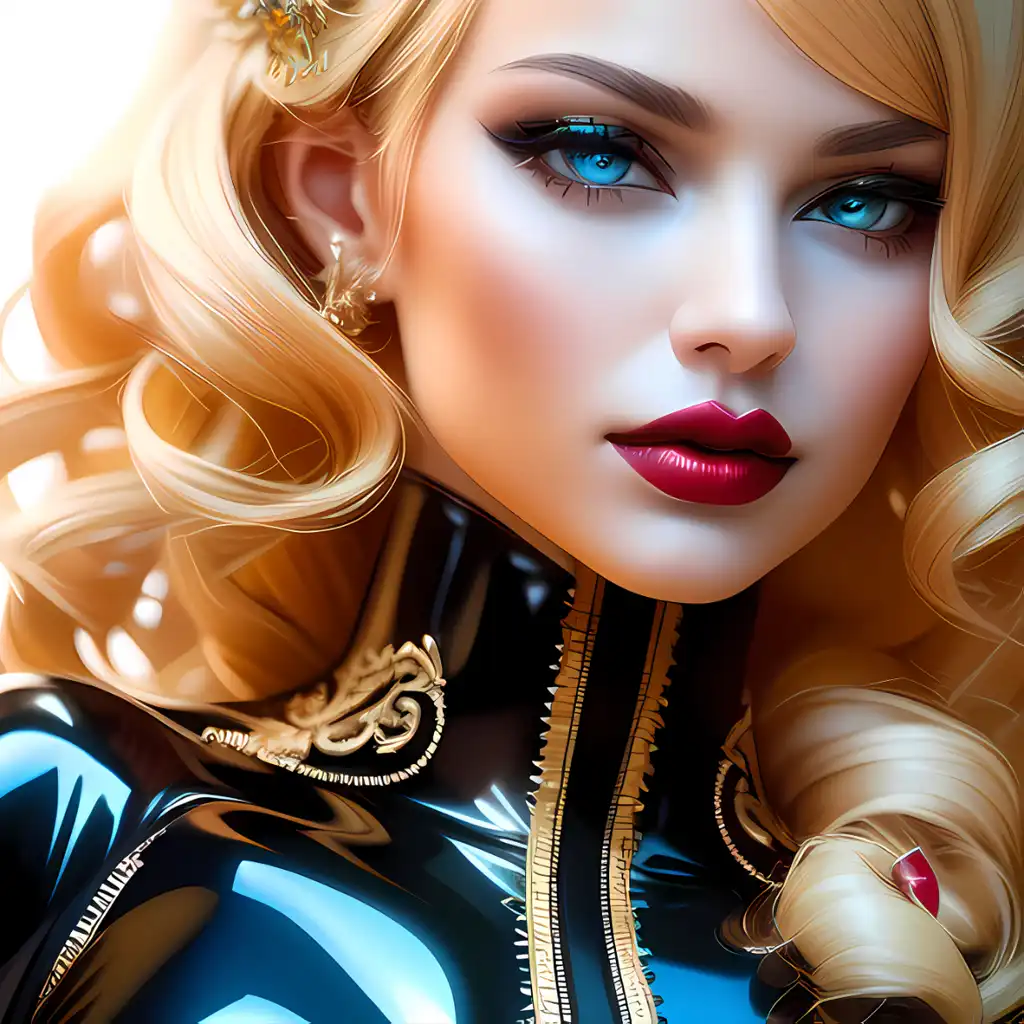
Elegant Beauties

#Mature Female#Bodysuit#Realistic#Latex#Girl#Plastic model
เครื่องมือ AI
  • เครื่องมือสร้างอนิเมะด้วย AI
  • เครื่องมือสร้างฟิกเกอร์อนิเมะ
  • เครื่องมือสร้างชีทตัวละคร
  • เครื่องมือสร้างปกนิตยสาร
  • เครื่องมือสร้างตุ๊กตาสำลี
  • เครื่องมือสร้างรูปปั้นยักษ์

สำรวจ

  • แท็กที่กำลังได้รับความนิยม
  • อันดับ
  • ตลาดโมเดล
  • ประกวด
  • ข่าว

เกี่ยวกับ

  • Guide
  • วิธีใช้ PixAI
  • Tsubaki.2
  • รู้จักกับ Mio
  • กฎเนื้อหา

ราคาและความช่วยเหลือ

  • สมาชิก
  • แพ็กเครดิต
  • ติดต่อ

แอปมือถือ

  • ดาวน์โหลดแอป PixAI
  • App Store
  • กูเกิล เพลย์
© 2026 PixAI
  • ข้อกำหนดในการให้บริการ
  • นโยบายความเป็นส่วนตัว
  • นโยบายลิขสิทธิ์
  • Attributions
  • กฎหมายว่าด้วยธุรกรรมทางการค้าเฉพาะ
Elegant Beauties - {{typeLabel}} cover image
ฝึกฝนโดย
Avatar image of Stella Navis

Stella Navis

ฝึกฝน LoRA ของคุณ
อัปโหลดเมื่อ
28 ต.ค. 2566 06:40
การใช้งาน
7.5k
ได้รับ
123,602
รีวิว
ยอดเยี่ยม  (2)
คีย์เวิร์ด

Elegant, hyper-detailed clothing, beautiful intricate outfits, form fitting latex outfit, big booty, big boobs, deep cleavage, provocative pose,

สิทธิ์
  • Allow image generation & sharing
  • อนุญาตให้ผู้ใช้ดาวน์โหลดโมเดลของคุณ
  • เชิงพาณิชย์

คำอธิบาย

A Lora designed to add a touch of elegance to your creations. Watch as physical features are given stunning definition and beauty. Clothing will receive colorful and vibrant colors, tattoos will take on a high level of clarity and detail. Experiment to your hearts content!

When using the preexisting descriptions, replace clothing with the clothing type. This specializes in latex and shiny clothing, but can certainly be used for a variety of outfits. Heels and stilettos are also well defined in this Lora.

Be specific with your body type and facial features, this can do both front view, as well as stunning rear views.

I recommend enhancing your image to get just the right level of clarity. For free enhancements in square images, use:

Upscale Ratio: 2.0 Denoising Strength: .40-.52 Denoising Steps: 14-18

The higher your strength, the lower the steps need to be to keep it free.

Works with many models, but for realism go with Dreamboat, and for stylized Moonbeam is great.

คอมเมนต์