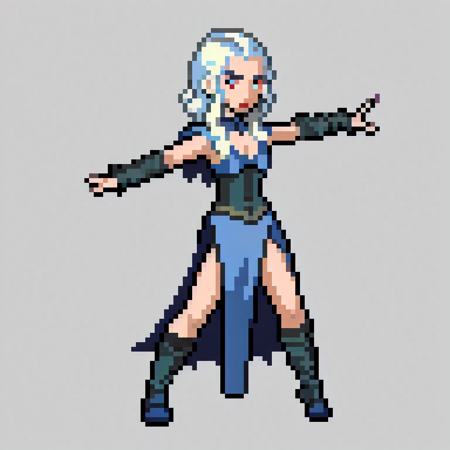
Pokémon Trainer Sprite GeneratorLIKE THIS MODEL? GIVE A ❤️Trained on Pokémon sprites of 96x96 and BLIP image captions.Quick TipsNo Trigger Word Needed: This model does not require a trigger word.Art Styles: You can use the tags gen1 and gen2 to generate different art styles.Trainer Recognition: The model can recognize some trainer names, such as Ash and Bruno.This LoRA has been tested with Dreamshaper and RealisticVision, but I belive that it should work well with other models too.Model VersionsThis Pokémon Trainer Sprite LoRA is available in two different versions: 768x768 and 512x512. Both models are trained on images upscaled from their original 96x96 size and are specifically designed to produce sprites at their respective resolutions. The choice between these two versions allows users to customize their experience based on their specific needs.For the best results, we recommend using the 768x768 version. Set your desired resolution to 768x768, and then downscale the result 8 times to achieve a 96x96 sprite. This downscaling process can be performed using any image editing program, but for a smoother post-processing experience, we recommend using a plug-in available at (https://github.com/mrreplicart/sd-webui-pixelart).Enjoy your Pokémon Trainer sprite!



![[ILLUST] Emília | Re:Zero kara Hajimeru Isekai Seikatsu - AI Model封面圖片](https://images-ng.pixai.art/images/thumb/56c8f9e7-0d05-4d5b-a1ea-18e73ef45cfc)
![Teen Titans GO! Style [ PXL ] by Leaf - AI Model封面圖片](https://images-ng.pixai.art/images/thumb/5422a8d0-ff59-49f8-8d7a-af6995a6e7b1)
