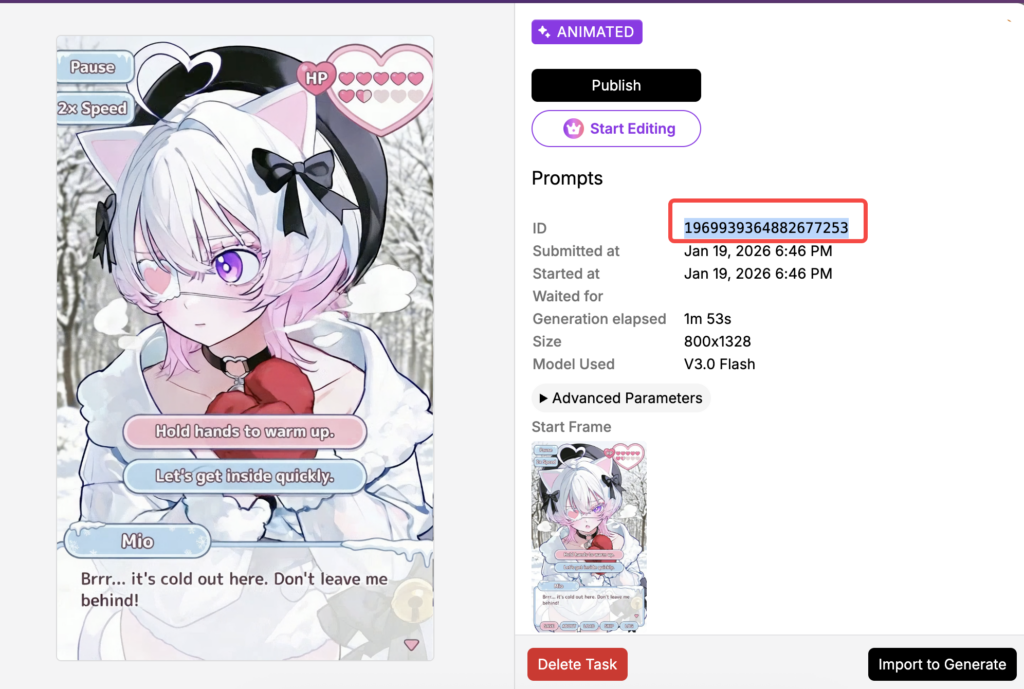

We aim to provide a fair and transparent credit refund experience when generation tasks fail. This article explains when refunds are issued automatically, what cases are not eligible, and how to check your refund status.
When Credits Are Refunded Automatically
If an image generation task fails due to a system error, we will automatically refund the credits consumed by that task.
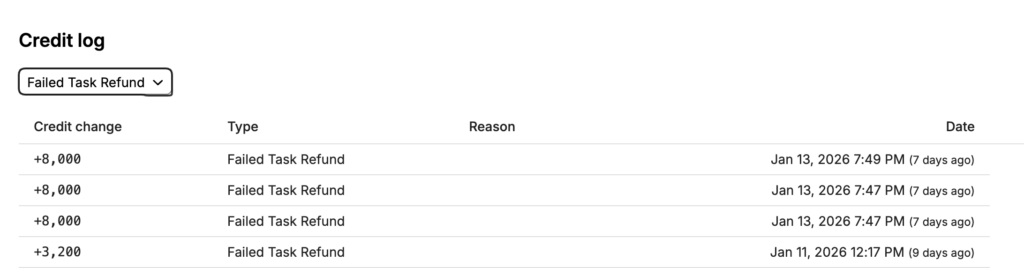
In most cases, no additional action is required. Refund records can be found in your Credit Log using the “Failed Task Refund” filter.
Cases That May Not Be Eligible for Refunds
Refund eligibility depends on whether the failure is caused by the system or by user action.
In general:
- System error failures → eligible for automatic refunds
- Manually canceled tasks → typically not eligible for refunds
Refund Timing
Most system-error refunds are processed automatically. However, if there is a broader service issue, we will first resolve the underlying problem. When this happens, we will publish an announcement and process the missing refunds after the issue is resolved (this may be handled in batches).
If you believe your failed task should be refunded but the credits have not returned:
- If there is an active announcement about failed generation tasks and refund delays, please follow the announcement updates and check your Credit Log after the stated resolution.
- If there is no related announcement, please contact our Support team via the Feedback page and include the Task ID so we can investigate and assist.
How to Find Your Task ID
To obtain the Task ID if you need to contact Support—follow these steps:
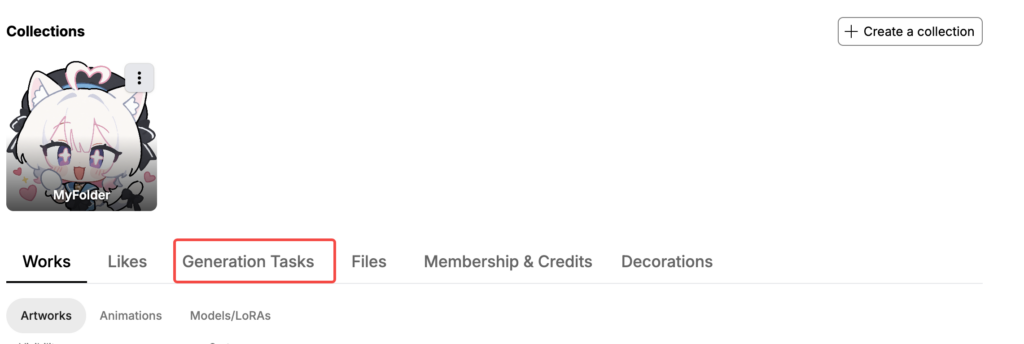
- Go to your Profile page
- Open Generation Tasks
3. Click the specific task to open its Task Details
4. Copy the Task ID shown in the details panel ➡️