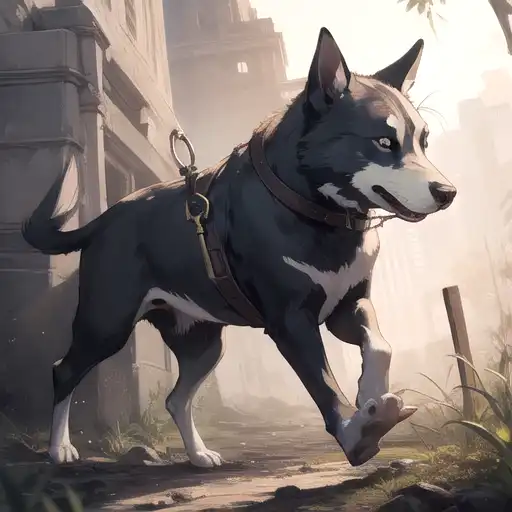
You can easily create an AI-generated image of a dog by using our AI art generator. Simply upload a reference image of a dog or describe the type of dog you’d like to see, and let the AI generate a unique artwork for you.
To generate an AI image of an adorable cat using PixAI.art, follow these steps: 1. Visit the PixAI.art website and create an account or log in if you already have one.2. Navigate to the image generation tool on the platform.3. In the prompt input area, type a detailed description of the cat you want to create, specifying traits like color, breed, expression, and setting.4. Select any additional settings or options provided, such as style or resolution, to customize your output.5. Click the generate button to process your request.6. Wait for the AI to create your image, which will be displayed once ready.7. Review the generated image and save or download it to your device if you’re satisfied. You can also refine your description and regenerate if needed.
To create a custom fantasy character illustration using an AI art generator like Pixai.art, follow these steps:1. **Choose Your Art Style**: Select the preferred art style that aligns with your vision for the fantasy character, such as realistic, cartoonish, or abstract.2. **Gather Inspiration**: Collect references and images that inspire you, which can include existing fantasy characters, artwork, or descriptions from books or games.3. **Define Character Attributes**: Decide on key attributes for your character including species, gender, attire, personality traits, and any specific features like weapons or magical elements.4. **Input Character Details**: Use the AI tool to input the gathered details and descriptions of the character. Be specific about colors, clothing, and background settings.5. **Adjust Parameters**: Tweak settings such as image size, rendering quality, and any stylistic effects the generator offers to refine the output.6. **Generate the Image**: Initiate the generation process and wait for the AI to create your character illustration based on the provided details.7. **Review and Edit**: After the image is generated, review it for any adjustments. Most tools allow you to make edits or regenerate specific parts.8. **Final Touches and Download**: Once satisfied, apply any final touches if needed and download the completed illustration for personal use or sharing. Following these steps allows you to leverage AI technology to craft a unique fantasy character illustration tailored to your vision.
To create a custom fantasy character illustration using an AI art generator like Pixai.art, follow these steps:1. **Choose Your Art Style**: Select the preferred art style that aligns with your vision for the fantasy character, such as realistic, cartoonish, or abstract.2. **Gather Inspiration**: Collect references and images that inspire you, which can include existing fantasy characters, artwork, or descriptions from books or games.3. **Define Character Attributes**: Decide on key attributes for your character including species, gender, attire, personality traits, and any specific features like weapons or magical elements.4. **Input Character Details**: Use the AI tool to input the gathered details and descriptions of the character. Be specific about colors, clothing, and background settings.5. **Adjust Parameters**: Tweak settings such as image size, rendering quality, and any stylistic effects the generator offers to refine the output.6. **Generate the Image**: Initiate the generation process and wait for the AI to create your character illustration based on the provided details.7. **Review and Edit**: After the image is generated, review it for any adjustments. Most tools allow you to make edits or regenerate specific parts.8. **Final Touches and Download**: Once satisfied, apply any final touches if needed and download the completed illustration for personal use or sharing. Following these steps allows you to leverage AI technology to craft a unique fantasy character illustration tailored to your vision.