PixAI会員
PixAI
PixAI
Generate
Sign in
ホーム
生成
モデル
Studio
NEW
コンテスト
Mio.2 で作成
ツールボックス
NEW
ガイド

ユーザーLoRA

SD

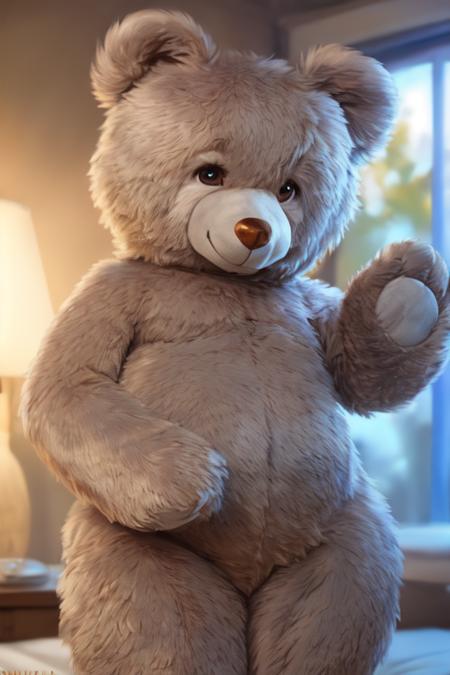
Teddy Bear Toy/Plushify, Character/Concept LoRA by Talboc

#ケモノ#テディベア#熊#おもちゃ
AIツール
  • AIアニメ生成
  • アニメフィギュア生成
  • キャラクターシート生成
  • 雑誌表紙生成
  • ぬいぐるみ生成
  • 巨大彫像生成

探索

  • 人気タグ
  • ランキング
  • モデルマーケット
  • コンテスト
  • お知らせ

PixAIについて

  • ガイド
  • PixAI ブログ
  • Tsubaki.2
  • マスコットのミオに会う
  • コンテンツ規則

料金とヘルプ

  • 会員
  • クレジットパック
  • お問い合わせ

アプリ

  • PixAI アプリを入手
  • App Store
  • Google Play
© 2026 PixAI
  • 利用規約
  • プライバシーポリシー
  • 著作権ポリシー
  • クレジット表記
  • 特定商取引法
Teddy Bear Toy/Plushify, Character/Concept LoRA by Talboc - AI Modelのカバー画像
アップロード日時
2023/10/10 17:57
採用数
2.4k
レビュー
レビューがありません
トリガーワード

teddy_bear, bear, plushie, photorealism,

権限
  • 画像生成と共有を許可する
  • ユーザーによるモデルのダウンロードを許可する
  • 生成画像の商用利用を許可する

詳細説明

https://civitai.com/models/159507 Author notes, Talboc: originally ran this to teach myself a bit more about LoRA training settings. But it turned out good enough that I decided to upload it. It's trained on twelve images of a giant 50-inch tall teddy bear plush toy manufactured by a company called Sugar Tubs. But it can also be used to plushify characters by balancing the strength of their own LoRA against the weight of this one.

I've found that dialing down the strength of a character LoRA, but then using ((brackets)) or (emphasis:1.5) to crank up specific keywords for character details can help with getting a likeness nailed down.

It can also be used to generate non-bears, by just using plushie as a keyword, and leaving bear and teddy_bear out of your prompt.

Base Model is YiffyMix_V34

コメント