



50
DPM++ 2M Karras
6
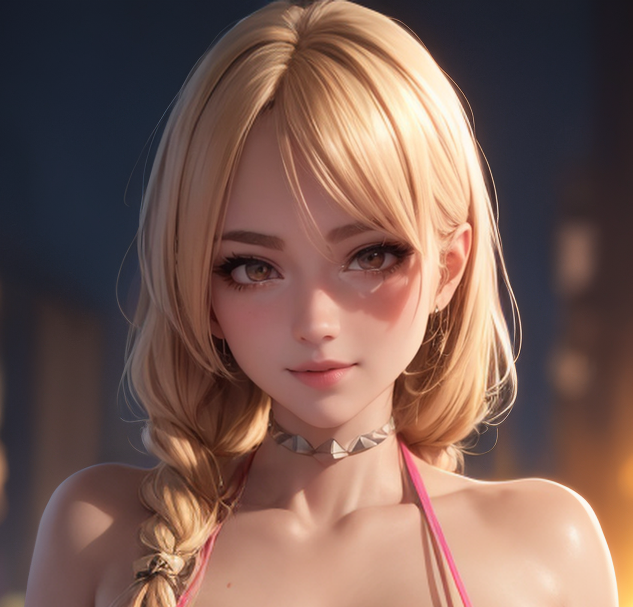
This is a merge I made recently involving around 9 different other checkpoints from Civit at various weights. I was going to limit it to custom use, but I've had several requests from other people who saw the model I was using in my PNG info on images I posted on a Discord forum. The process was long and complicated enough that I couldn't explain to others how they could recreate it themselves. It's a large file and I couldn't think of an easier way to share it, so I figured I'd post it here.This checkpoint was primarily designed for creating curvy women (mostly big breast/big ass prompts with skindentation), but it also works surprisingly well for other purposes, such as landscapes. You can use it as is, but it was created by testing with images that made heavy use of LoRAs and embeddings, so I highly recommend it for that purpose instead. Be advised that image quality will vary based on the LoRAs you use and the weights you set them at! LoRAs trained on poor-quality photo images are more likely to import artifacts into your render than those trained on art.Recommended settings basically depends on what you're trying to create with it and how you want the image to look. You can find guides for that. I typically create my images in 512x768 with an upscaler and use Adetailer on the face. Using Adetailer on the bodies is a mixed bag, I'd recommend it for "cowboy" shots (mid-range, from the knee or waist up), but don't recommend it for full body portrait shots with bare feet or open-toed footwear (it smears the toes into an ugly mess).As is the case for most checkpoints, the biggest weakpoint is in consistently generating good hands on the first render without inpainting. For a lazy fix, just add "arms up" and/or "hands behind head" to your general prompt to avoid generating the hands altogether. You can also just send your txt2img render to img2img and inpaint fix them there.Since this checkpoint was merged with different models with varying degrees of "realness", it is a bit of a hybrid between a fully animation style and photorealistic style checkpoint. For this reason, it responds surprisingly well to the Anime Realism Control LoRA. Try using it at the desired weights depending on whether you want the image to look more like it was created using an anime checkpoint or more like a photorealistic checkpoint.
