PixAI会員
PixAI
PixAI
Generate
Sign in
ホーム
生成
モデル
Studio
NEW
コンテスト
Mio.2 で作成
ツールボックス
NEW
ガイド

ユーザーLoRA

SD

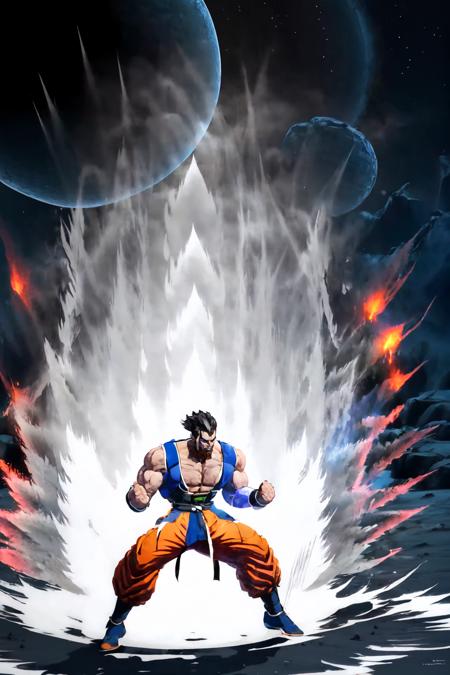
Dragon Ball KI Charge (Aura) | Concept LoRA

#ドラゴンボール#気#戦闘
AIツール
  • AIアニメ生成
  • アニメフィギュア生成
  • キャラクターシート生成
  • 雑誌表紙生成
  • ぬいぐるみ生成
  • 巨大彫像生成

探索

  • 人気タグ
  • ランキング
  • モデルマーケット
  • コンテスト
  • お知らせ

PixAIについて

  • ガイド
  • PixAI ブログ
  • Tsubaki.2
  • マスコットのミオに会う
  • コンテンツ規則

料金とヘルプ

  • 会員
  • クレジットパック
  • お問い合わせ

アプリ

  • PixAI アプリを入手
  • App Store
  • Google Play
© 2026 PixAI
  • 利用規約
  • プライバシーポリシー
  • 著作権ポリシー
  • クレジット表記
  • 特定商取引法
Dragon Ball KI Charge (Aura) | Concept LoRA - AI Modelのカバー画像
アップロード日時
2024/06/05 15:11
採用数
132
レビュー
レビューがありません
トリガーワード

Ki Charge, aura, fighting stance

権限
  • 画像生成と共有を許可する
  • ユーザーによるモデルのダウンロードを許可する
  • 生成画像の商用利用を許可する

詳細説明

Dragon Ball KI Charge (Aura) | Concept LoRAWeight can go from 0.6 up to 1. I recommend 0.8. Works with almost every Character. Light Version got smaller Aura and Stronger Version does have bigger Aura. Currently no color code. Trying to add that in the near future. Now with only 1 version and Color Support. Adding more weight to dark red recommended.Trigger Word:Ki ChargeHelping Prompt:aura, fighting stanceColor Support:white, red, blue, green, dark red, purple, pink, yellowHow to use LoRA's in auto1111:Download LoRACopy the file to stable-diffusion-webui/models/loraSelect your LoRA and use the triggerwordMake sure to change the weight if needed (by default it's :1)Have Fun!

コメント